Free AI Super Resolution Online
Upscale and enhance your photos to 4K or 8K with AI. Sign up free to get 200 credits.
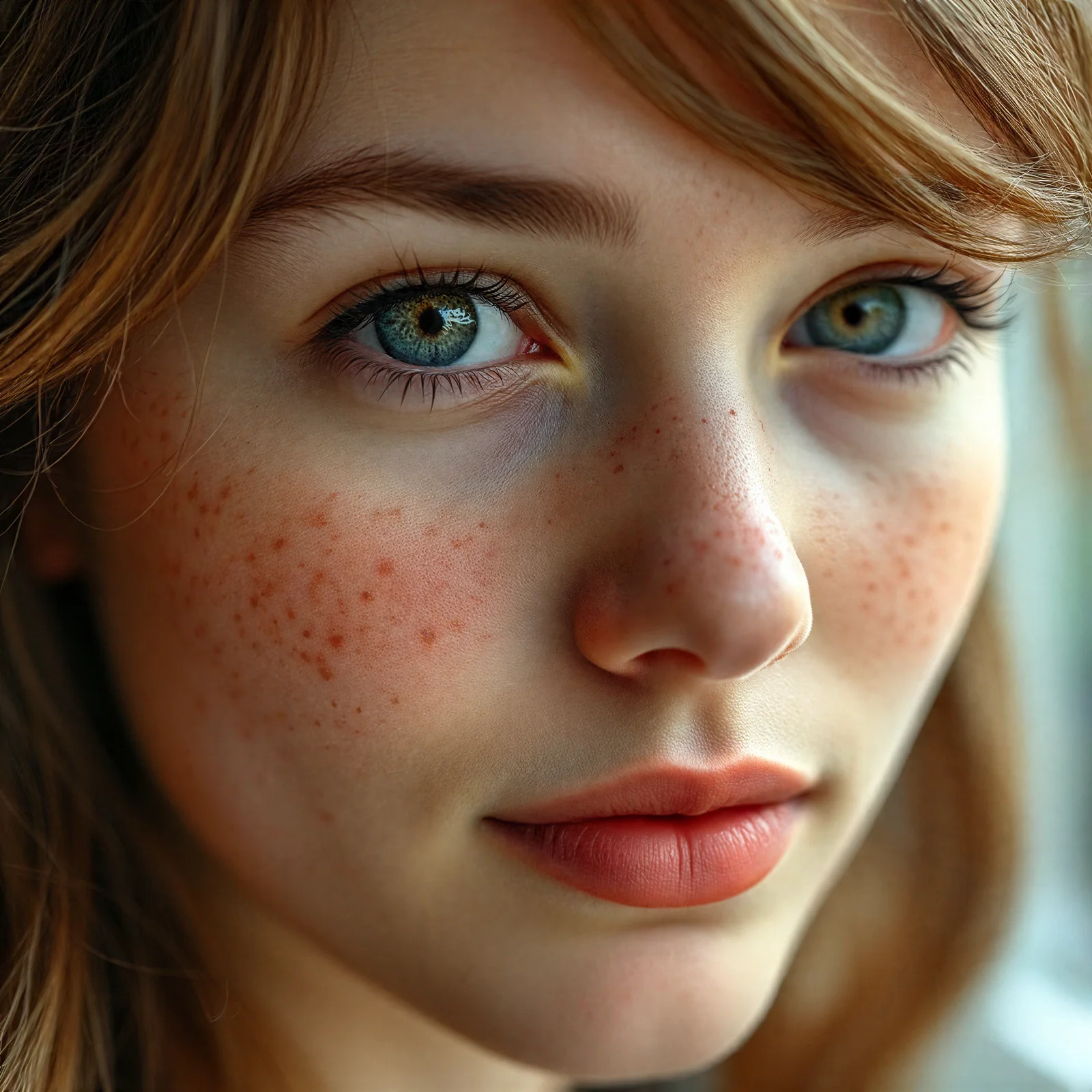
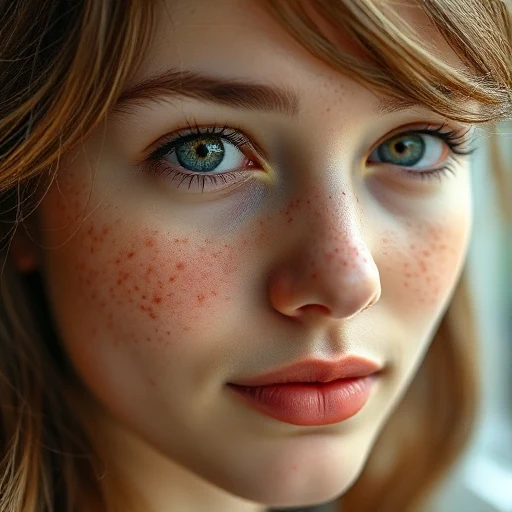
Drag the slider — real results from our AI upscaler
Drag & drop your image here
or click to browse. Supports JPG, PNG, WebP (max 20 MB)
JPG · PNG · WebP up to 20 MB · Auto-deleted within 24 hours
How It Works
Upscale any image in three simple steps. No technical skills required.
Upload Your Image
Drag and drop or click to upload. Supports JPG, PNG, WebP.
Choose Scale & Upscale
Select 2x, 4x, 8x, or 16x. AI enhances every detail.
Download HD Result
Get your upscaled image in stunning quality.
What Is AI Super Resolution?
AI super resolution is a technique that increases an image's resolution while reconstructing detail that ordinary enlargement cannot recover. Traditional upscaling stretches existing pixels using interpolation (bicubic or Lanczos), which is why enlarged photos usually look soft or blocky. A super-resolution model instead uses a neural network trained on millions of image pairs to predict the detail the small image lost — skin texture, individual hair strands, fabric weave, clean edges on text — and rebuilds it at 2x, 4x, 8x or 16x the original size. The result is a genuinely sharper, larger photo rather than a blurry stretch. Our engine is tuned for faithful reconstruction instead of creative repainting: faces keep their identity, freckles stay freckles, and product shots keep accurate edges. That fidelity matters when the result is printed, published, or sold.
How to Upscale an Image Online
It all works in your browser — there is no software to install, and it works the same on a phone, tablet, or computer. Drop a JPG, PNG, or WebP file up to 20 MB into the tool above, pick a scale factor, and the enhanced image is ready to download as a PNG in seconds. Each upscale costs credits based on the output size, and every new account starts with 200 free credits — enough to try it on a batch of images. Uploads are processed automatically and deleted from our servers within 24 hours, so your photos never sit in a public gallery.
Choosing 2x, 4x, 8x or 16x Upscaling
Pick the scale factor by the size you actually need, not the biggest number. 2x is enough to clean up a slightly soft photo for the web. 4x is the sweet spot for most work: it turns a one-megapixel image into a print-ready sixteen-megapixel one. 8x and 16x are for genuinely small originals — thumbnails, old low-resolution files, or cropped details — where the AI has the most room to rebuild. Output is capped at 34 megapixels (about 8K), so the tool automatically limits which factors are available for large originals. As a rule of thumb: for printing at 300 DPI, a 4x-upscaled twelve-megapixel photo covers an A3 poster comfortably.
How to Get Sharper, More Natural Results
Start from the best original you have — the model reconstructs detail more accurately from a clean source than from a screenshot of a screenshot. Heavily compressed images benefit the most visibly: JPEG artifacts are removed while edges are rebuilt. Avoid upscaling the same image repeatedly; one pass at a higher factor beats two passes at lower ones. And if a photo is blurry from camera shake rather than low resolution, super resolution will sharpen its pixels but cannot recover motion that was never captured — those shots improve noticeably, but expect enhancement, not magic.
Use Cases
AI super resolution for every scenario
Photography
Upscale old or low-res photos to print quality
E-Commerce
Enhance product images for high-res listings
Social Media
Create crisp 4K images for Instagram, YouTube
Print & Poster
Upscale for large format printing
Photo Restoration
Enhance and sharpen old family photos
Design & Art
Upscale digital art and illustrations
Simple, Transparent Pricing
Choose the plan that fits your needs. New users get 200 free credits on signup.
Pro
Everything, one simple plan
- Up to 16x upscale
- Instant processing
- Ultra HD output
- Credits never expire
- Priority support
- Commercial license
Credit pack
Top up anytime — credits never expire
- No subscription needed
- Credits never expire
- Works on any account
Frequently Asked Questions
Everything you need to know about AI super resolution
What is AI Super Resolution?
AI super resolution uses deep learning to upscale images beyond their original resolution while adding realistic detail. Unlike simple resizing, our AI model (AI super-resolution) generates new pixels that look natural and sharp.
How does super resolution work?
Our tool uses advanced AI models (AI super-resolution) to analyze your image and intelligently generate new pixels. The model has been trained on millions of images to understand textures, edges, and patterns.
What does super resolution actually do?
Super resolution increases an image's resolution while reconstructing detail that plain enlargement cannot recover. A neural network predicts the texture the small image lost — skin, hair, fabric, text edges — so the enlarged photo stays sharp instead of turning blurry.
Is the super resolution tool free?
Sign up free to get 200 credits instantly. For heavier usage, check out our affordable subscription plans.
What's the maximum upscale factor?
Every account can upscale at 2×, 4×, 8× or 16×. Output is capped at 34 megapixels (about 8K), so very large originals automatically limit which factors are available.
Do I need to download an app to use super resolution?
No. SuperResolution.online runs entirely in your web browser and works the same on phones, tablets, and computers — there is no app to download and no software to install. The upscaled image is delivered as a standard PNG download.
What image formats are supported?
We support JPG, PNG, and WebP uploads. Output is always PNG for maximum quality preservation. Maximum input file size is 20 MB.
How is this different from simple resizing?
Simple resizing just stretches pixels, creating blur and artifacts. AI super resolution generates new detail — sharpening edges, recovering textures, and adding realistic information.
Can it improve the quality of old or blurry photos?
Yes, within limits. Old, low-resolution, or heavily compressed photos benefit the most: compression artifacts are cleaned up and detail is rebuilt. Blur from camera shake improves too, but motion that was never captured cannot be fully recovered.
Do the results have a watermark?
No. Downloads are full-resolution PNG files with no watermark on every plan, including free accounts.
Can I use upscaled images commercially?
Yes, you own the rights to images you create with our tool. You're free to use them for personal or commercial purposes.
Is my uploaded image stored on your servers?
Images are stored temporarily for processing only. All uploaded and generated images are automatically deleted within 24 hours.
Ready to Upscale?
Transform your low-resolution images into stunning high-quality photos with AI super resolution. Sign up free to get 200 credits.
Sign up free — 200 credits on registration