AI Face Fixer
Free AI Face Fixer for Low-Quality Selfies & Portraits
One-click browser AI face fixer that rescues blurry low-quality selfies, clarifies eyes, lashes, and natural skin pores without waxy smoothing, and exports adaptive 2× lossless PNG portraits ready for Facebook and profile avatars.
- Full-res PNG output
- 48 free credits, no card
- No app to install
- Deleted after 30 days
 Before
 After
Drag & drop your image here
or click to browse. Supports JPG, PNG, WebP (max 20 MB)
JPG · PNG · WebP up to 20 MB · Deleted after 30 days
See How Our AI Face Fixer Rescues Blurry Portraits
Slide any portrait below to inspect real adaptive 2× outputs across golden-hour selfies, executive profile headshots, sunset couple portraits, and garden wedding close-ups.
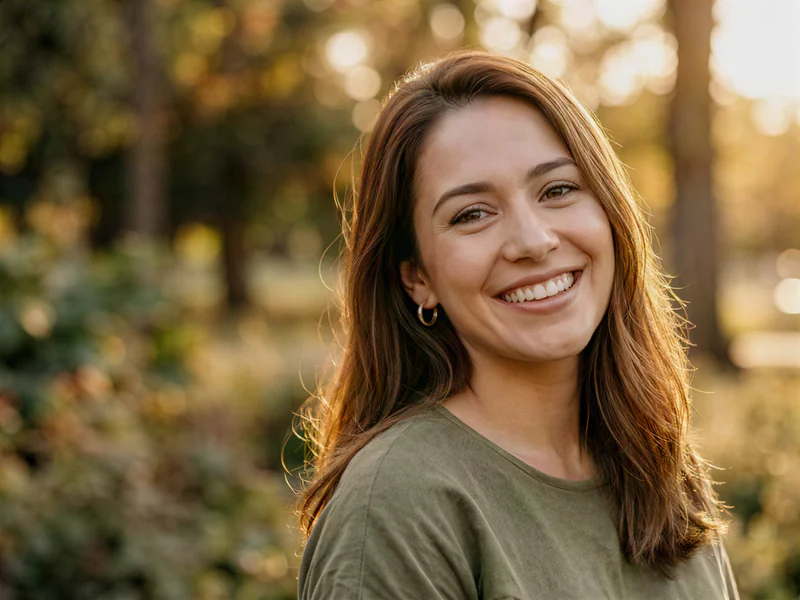

Sharpen golden-hour selfies and fine eyeliner without waxy beauty blur
Front-camera optics and messaging apps crush warm outdoor portraits into muddy smudges. Structure-aware reconstruction recovers crisp lashes, lip definition, and organic glow while keeping natural skin pores intact.
- Restores crisp eyeliner, individual lashes, and bright catchlights in the Latina woman's smiling eyes
- Preserves realistic facial pores, subtle makeup texture, and the gleaming small gold hoop earring
- Defines sunlit chestnut hair strands and olive linen collar weave against soft park bokeh
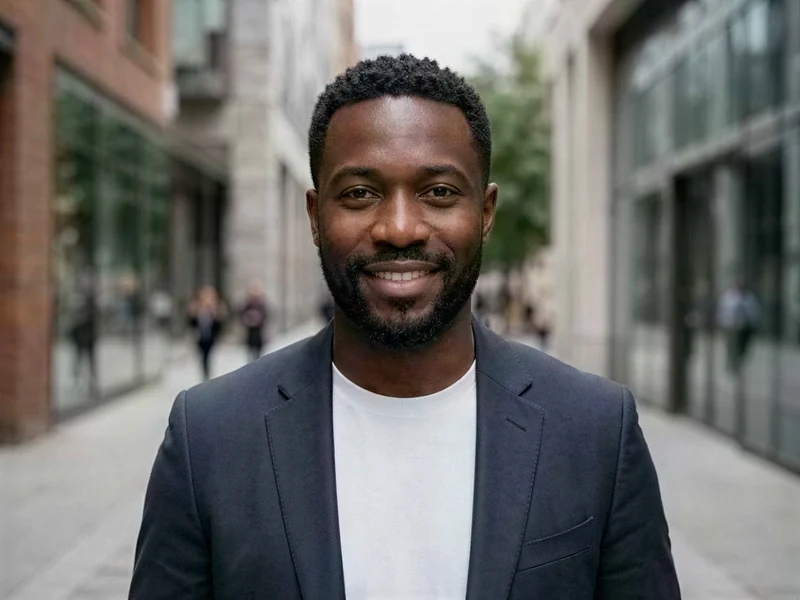
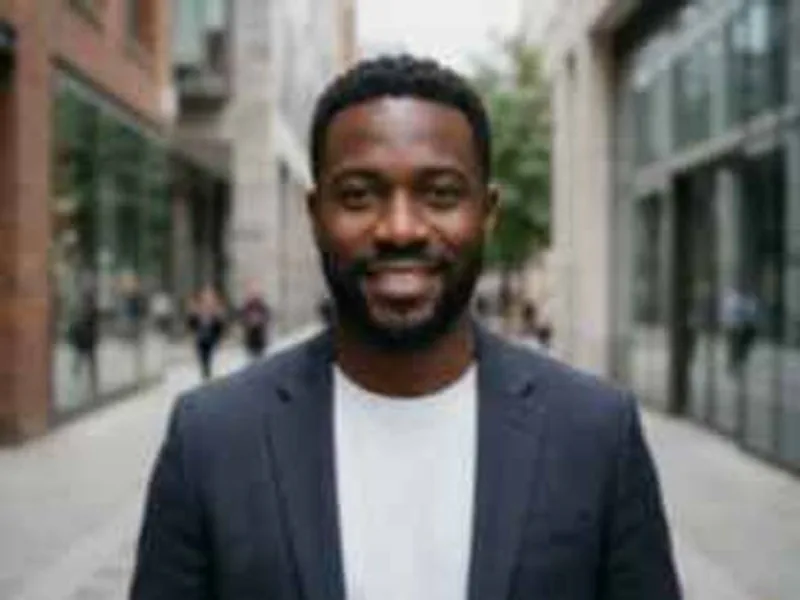
Turn compressed headshots into crisp LinkedIn, Facebook, and booking profiles
Re-saved social avatars lose eye clarity and jacket sharpness under heavy JPEG compression. Adaptive clarity modeling restores natural facial texture so professional profiles stay sharp in circular feeds.
- Brings back expressive eye sharpness, clean brow lines, and natural skin texture on the Black professional
- Separates crisp short beard hair cleanly from the white crew-neck tee without artificial haloing
- Recovers fine tailored wool weave on the charcoal-navy blazer over the soft city backdrop
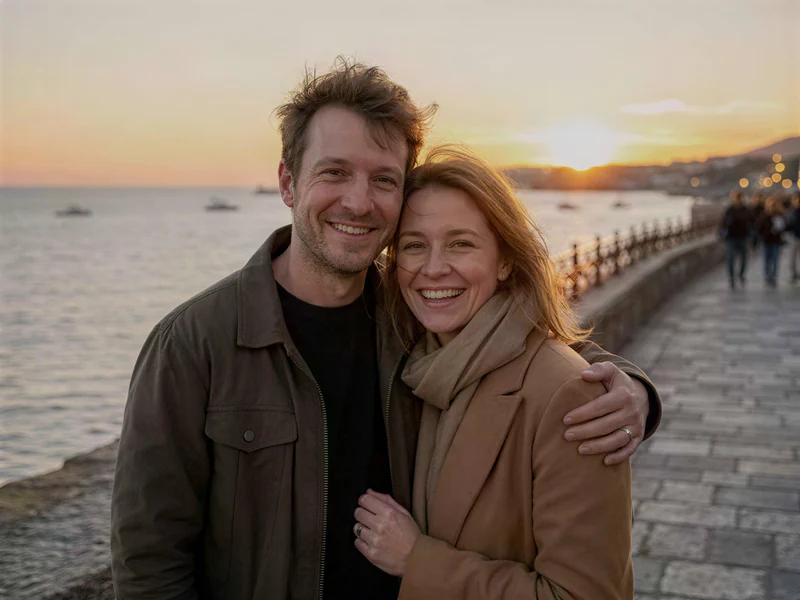
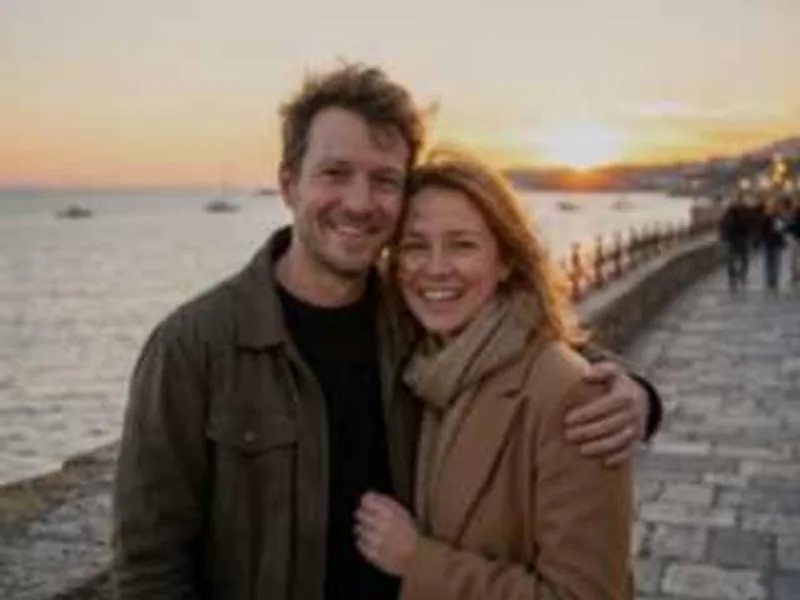
Clarify soft sunset couple portraits and shadowed eyes without plastic smoothing
Golden rim light behind a pair of faces leaves foreground features dim and soft. Neural edge reconstruction lifts micro-contrast across both portraits while honoring authentic expressions and laugh lines.
- Clarifies soft eyes, brows, and natural laugh lines on both faces of the smiling European couple
- Balances warm golden rim lighting across autumn jacket collars and windswept hair without flat skin
- Keeps coastal promenade tones and soft ocean horizon bokeh smooth and artifact-free
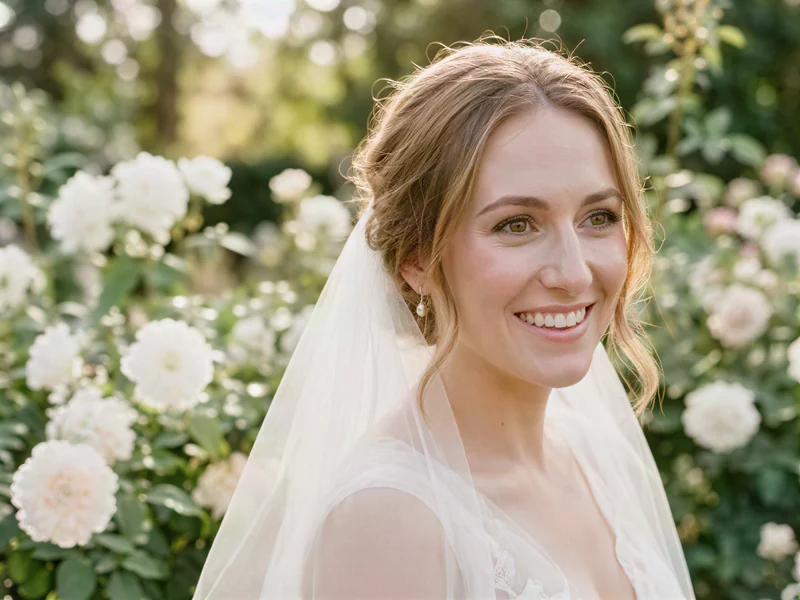
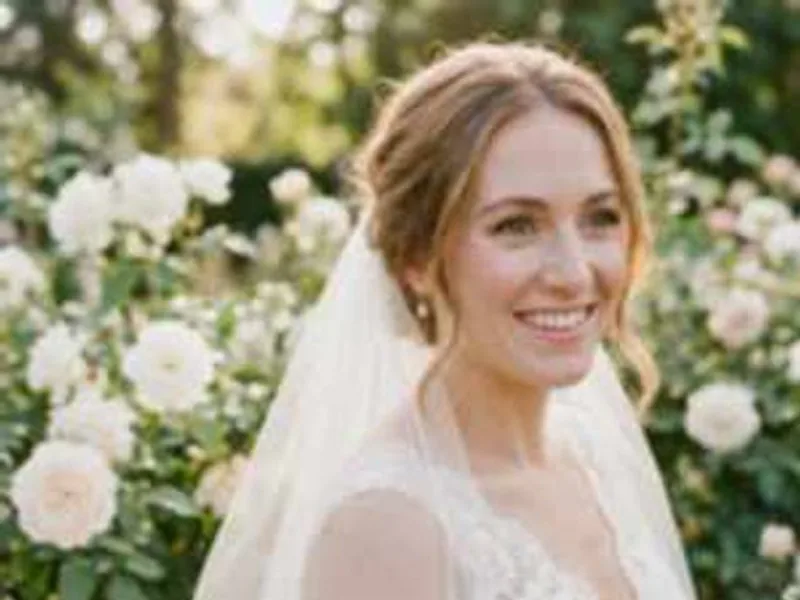
Rescue soft wedding close-ups while keeping lace, veil, and pores authentic
Cropped ceremony frames often suffer from motion softness or over-smoothed phone filters. Adaptive 2× detail restoration sharpens eyes, hair tendrils, and sheer fabric without erasing natural complexion.
- Rebuilds crisp bridal lashes, authentic skin pores, and soft sunlit honey-brown updo tendrils
- Sharpens delicate ivory lace gown patterns and translucent tulle veil weave cleanly
- Holds luminous botanical garden light and creamy white rose petals without over-sharpened halos
Why Use an AI Face Fixer Instead of a Phone Beauty Filter?
Zero plastic airbrushed skin
Replaces blurry beauty smoothing with neural pore, eyelash, and iris reconstruction, fixing waxy AI faces while preserving authentic freckles, expression lines, and identity.
Adaptive 2× clarity & lossless PNG
Runs SeedVR in ~7 seconds with adaptive scaling up to 2× (up to 16 MP), exporting lossless PNG files with no fresh JPEG halos.
Selfies, Facebook & profile ready
Cleans compressed phone selfies, makeup close-ups, wedding crops, and Facebook, LinkedIn, or booking headshots directly in any browser.
How it works
Upload JPG, PNG, or WebP
Drop a low-quality selfie, compressed social portrait, or wedding crop (20 MB max) into the browser uploader.
Click Fix Face (~7s)
Run the one-click adaptive 2× pass to sharpen eyes, lashes, hair strands, and real skin texture automatically.
Inspect Fixed preview & save
Drag the before/after comparison slider across your Fixed preview, then download your full-resolution lossless PNG.
Best inputs and limitations
Works well on: blurry low-quality selfies, compressed Facebook and Instagram re-saves, LinkedIn, dating, and booking profile portraits, makeup close-ups, soft backlit couple shots, cropped wedding portraits, and overly smooth AI portraits needing natural skin pores back.
Keep in mind: neural restoration infers plausible facial detail from blurry pixels — it cannot forensically identify unknown people in heavily pixelated security camera (CCTV) footage and must not be used as legal evidence; it clarifies your real face rather than applying a "perfect face template AI", face-swap, or plastic beauty filter; it sharpens fine natural hair cleanly rather than erasing stray hairs via generative inpainting; and severely underexposed dark frames belong in AI Image Brightener first, heavy high-ISO grain in AI Image Denoiser, and torn vintage prints in AI Old Photo Restoration.
Why Low-Quality Selfies & AI Portraits Turn Soft or Plastic
Tiny front-camera sensors, dim indoor lighting, and repeated messaging re-saves quickly strip away fine iris texture, eyebrow hairs, and lip edges. Many mobile apps try to beautify faces online with heavy skin-blur filters that erase natural texture — creating the exact waxy sheen that sends people searching for how to fix plastic skin in AI portraits.
Instead of masking softness under airbrush blur, our portrait AI enhancer online uses SeedVR diffusion priors to model realistic micro-structure around eyelashes, irises, freckles, and natural complexion. Whether you want to enhance a face photo from an older phone, produce a clear face image for a resume, or add subtle natural skin glow, this AI face fixer sharpens facial clarity and makes blurry portraits look better without altering your real bone structure. For intentional glamour blemish smoothing or non-portrait landscapes and product shots, switch to our dedicated retouching or general enhancement tools.
How to Upload High-Quality Photos on Facebook, LinkedIn & Booking Profiles
Knowing how to upload high quality photos on Facebook — and protecting Facebook image quality across LinkedIn, dating, and booking profiles — comes down to matching platform pixel budgets before social servers re-compress your portrait:
- Facebook Feed Sizing (2048 px): Export horizontal or vertical portraits at 2048 px on the long edge in sRGB color so Meta's pipeline skips harsh downsampling, helping you make an image a perfect fit on Facebook with sharp eyes.
- Profile Avatars (1080×1080 sRGB PNG/JPG): Crop LinkedIn, booking, and dating headshots to a clean 1080×1080 square in sRGB PNG or high-quality JPG so circular avatar frames preserve crisp collars and lashes.
- Disable Mobile Data-Saver & Enable HD Uploads: Inside Facebook Settings → Media, turn off Data Saver and switch on Upload Photos in HD so mobile apps stop crushing skin detail over cellular connections.
- Clean Blurry Selfies Before Uploading: Whenever a phone shot or downloaded avatar already looks fuzzy, run it through our browser AI face fixer first to make a blurry face photo clear online in ~7 seconds before posting.
Fixing Makeup Selfies, Shadowed Faces & Wedding Portraits — Exact Tool Order
Learning how to enhance selfies with AI and how to improve your makeup selfies starts with respecting subtle surface contrast. Over-aggressive sharpening creates gritty cheek noise, while beauty filters smudge winged eyeliner and lip color. One neural clarity pass restores crisp lash separation, delicate highlighter sheen, and sunlit hair texture while letting real skin breathe across solo selfies and candid wedding portraits.
Tool order matters whenever you tackle tricky lighting or print crops. If you are solving how to fix dark faces in photos taken against bright windows or sunset skies, lift severely underexposed shadows first in AI Image Brightener so hidden facial contours emerge cleanly. For heavy ISO 6400+ night speckle, run native 1× cleanup in AI Image Denoiser next, then use this AI face fixer to refine eyes and skin pores. Finally, enlarge tight wedding crops to 4K or 300 DPI gallery prints using AI Image Upscaler or 8×–16× AI Super Resolution.
Formats, Identity Fidelity & Honest Limits
This browser engine accepts still JPG, PNG, and WebP files up to 20 MB across Chrome, Safari, Edge, and Firefox. SeedVR computes an adaptive scale factor up to 2× (clamped cleanly to 16 MP) and outputs an uncompressed lossless PNG in roughly 7 seconds — making every face clear online without desktop installs or fresh compression ringing. Convert Apple HEIC or camera RAW files to PNG or high-quality JPG beforehand.
Honest boundaries matter for trustworthy portrait work. First, while people often ask how to enhance a face in security camera pictures, AI restoration predicts plausible texture from blurry low-resolution pixels — it cannot forensically recover unknown identities from heavily pixelated CCTV footage and must never be used as legal evidence. Second, our model sharpens your real identity rather than acting as a perfect face template AI or face-swap generator. Third, searches for an automatic stray hair fix for wedding portraits expect generative flyaway removal; our clarity model sharpens fine natural hair cleanly instead of erasing strands via inpainting (use a manual healing brush in Photoshop or Lightroom for stray-hair deletion). For torn, creased, or scratched vintage prints, switch to our restoration tools.
Transparent Metering: 48 Free Credits, 12 Credits/MP & 30-Day Auto-Delete
Every new account starts with 48 free signup credits (valid 7 days, no credit card required) so you can test our portrait engine on your own low-quality selfies and profile headshots right away. Usage meters by source area at 12 credits per input megapixel (12-credit minimum) — up to four watermarked previews on selfies at or below 1 MP, with exact credit cost displayed before processing.
Unlock watermark-free lossless PNG exports ready for Facebook, LinkedIn, booking profiles, and wedding albums with a 500-credit pack ($6.99 USD during our Holiday Sale, regularly $9.99, through December 30) or Pro (from $9.95/mo billed annually at $119.40 first year, or $19.99/mo monthly). Uploads and finished portraits transfer over encrypted HTTPS, never train AI models, and are kept privately for up to 30 days for support, then deleted automatically.
Browser AI Face Fixer vs. Phone Beauty Filters vs. Manual Photoshop
Compare our identity-preserving browser portrait tool against mobile beauty filters and manual desktop editing across six practical criteria:
| Criterion | This AI Face Fixer | Phone Beauty Filters | Manual Photoshop / Desktop |
|---|---|---|---|
| Skin Texture & Identity | Restores real pores, freckles, and identity with zero waxy plastic skin | Blurs skin flat and often warps jawline, nose, or eye proportions | Full manual control via frequency separation; slow per portrait |
| Eyes, Makeup & Hair Detail | Rebuilds crisp irises, fine eyeliner, lashes, and natural hair strands | Smears eyeliner and hair into soft smudges or adds fake overlays | Precision brushwork and stray-hair healing; requires pro skill |
| Resolution & Export | Adaptive up to 2× scale (up to 16 MP) in uncompressed lossless PNG | Often downscales and re-saves as lossy compressed JPG | Full custom canvas dimensions exported to PNG, TIFF, or JPG |
| Facebook & Profile Readiness | Outputs crisp sRGB PNG ready for 2048 px Facebook & 1080×1080 avatars | Heavy re-compression degrades further after Facebook upload | Exact sRGB export presets when configured manually |
| Speed & Setup | ~7s one-click browser pass; zero installs or GPU required | Instant phone tap inside camera or social apps | Desktop install, license, and 5–15 minutes per portrait |
| Pricing & Access | Requires internet connection; 48 free preview credits on signup, then $6.99 USD credit pack (Holiday Sale, reg. $9.99) or Pro from $9.95/mo ($119.40 first yr) for watermark-free PNGs | Free built-in apps or ad-supported mobile subscriptions | Paid monthly Creative Cloud desktop subscription |
Simple, Transparent Pricing
Choose the plan that fits your needs. New users get 48 free credits on signup.
Black Friday SaleEnds December 30. Discounts apply automatically at checkout.
Pro
Everything, one simple plan
$119.40 for the first year, then $199/year
- Up to 16x upscale
- Instant processing
- Ultra HD output
- Credits never expire
- Priority support
- Commercial license
Credit pack
Top up anytime — credits never expire
- No subscription needed
- Credits never expire
- Works on any account
Frequently Asked Questions
Is this AI face fixer free to use?
Yes. Every new account receives 48 free credits on signup (no credit card required) to generate real watermarked previews on your own images. To download clean, watermark-free full-resolution PNGs, pick up a one-time 500-credit pack for $6.99 USD during our Holiday Sale (30% off $9.99 through December 30, never expires) or upgrade to Pro from $9.95/mo billed annually ($119.40 first year, 40% off $199/yr) or $19.99/mo monthly. Free signup credits remain valid for 7 days and meter at 12 credits per input megapixel (12-credit minimum), giving you up to four watermarked previews on selfies at or below 1 MP.
Will this fix plastic skin in AI portraits without using a perfect face template?
Yes. Unlike beauty filters or face-swap apps that stamp a generic template over your photo, our SeedVR engine models authentic pores, eyelashes, and freckles from your existing pixels. It clarifies blurry features and fixes waxy AI skin while strictly keeping your real identity and facial geometry.
How do I upload high-quality photos on Facebook so faces stay sharp?
Clean blurry selfies first with this browser tool, export feed photos at 2048 px on the long edge in sRGB (or 1080×1080 sRGB PNG/JPG for Facebook, LinkedIn, and booking profile avatars), and turn off Data Saver while enabling Upload Photos in HD inside Facebook's mobile media settings.
How should I fix dark faces in photos or enhance makeup selfies with AI?
For severely underexposed or heavily backlit shots, lift shadow exposure first in AI Image Brightener so facial contours become visible, clean heavy ISO noise in AI Image Denoiser if needed, and then run this portrait pass to sharpen eyeliner, lashes, and natural complexion.
Can this tool enhance a face in a security camera picture for identification?
No. Neural restoration infers plausible high-frequency detail from blurry pixels rather than uncovering hidden ground truth. Because reconstructed textures are predictions, heavily pixelated CCTV or security camera pictures cannot verify unknown identities or serve as legal or law-enforcement evidence.
Does it remove stray hairs on wedding portraits or repair torn vintage photos?
This clarity model sharpens fine natural hair cleanly rather than erasing flyaway strands via generative inpainting; removing prominent stray hairs requires a manual healing brush in Photoshop or Lightroom. For torn, creased, or scratched vintage prints, use AI Old Photo Restoration or Damaged Photo Repair.
Are my uploaded selfies private and cleared for commercial profile use?
Yes. Uploaded portraits and Fixed PNG exports transfer over encrypted HTTPS, never train AI models, and are kept privately for up to 30 days for support, then deleted automatically. Watermark-free downloads unlocked via a credit pack or Pro carry commercial usage rights for LinkedIn, booking sites, editorial, and client work.