Damaged Photo Repair
Free AI Damaged Photo Repair Online
Browser-based damaged photo repair using neural inpainting to fix torn prints, scratches, fold creases, water stains, and faded images in lossless PNG.
- Full-res PNG output
- 48 free credits, no card
- No app to install
- Deleted after 30 days
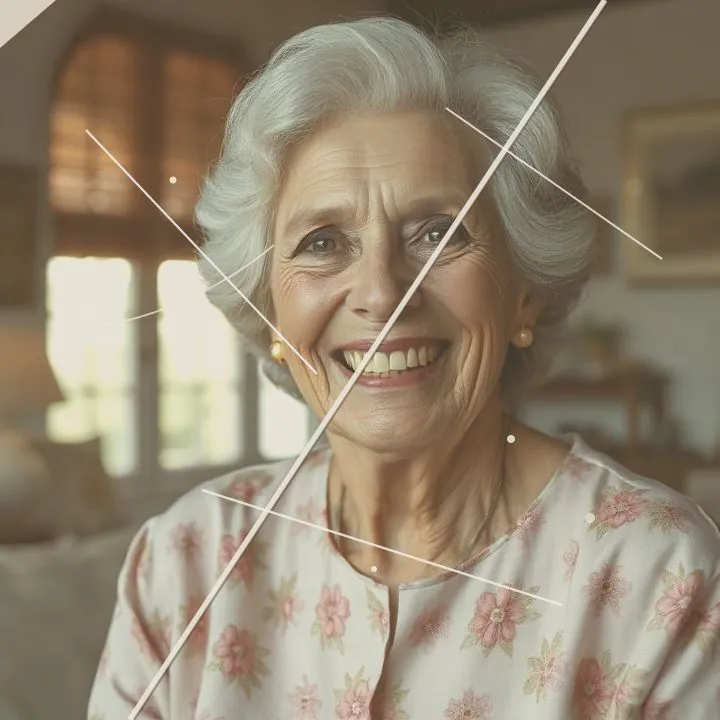 Before
 After
Drag & drop your image here
or click to browse. Supports JPG, PNG, WebP (max 20 MB)
JPG · PNG · WebP up to 20 MB · Deleted after 30 days
See Damaged Photo Repair Across Tears, Scratches, Water & Fading
Slide any example below to inspect real outputs on a ripped picture, a scratched image of a family dog, water damaged photos, and faded images.


Mend a ripped picture and horizontal wallet folds cleanly
Pocket folds split paper along jagged white lines. Torn photo repair reconnects a ripped photo across wool and brickwork without clone smudges.
- Bridges the jagged white tear across the vintage wool coat seamlessly
- Erases the deep wallet crease across the navy polka-dot dress and brick steps
- Preserves both smiling faces, hairline detail, and warm 1960s skin tones
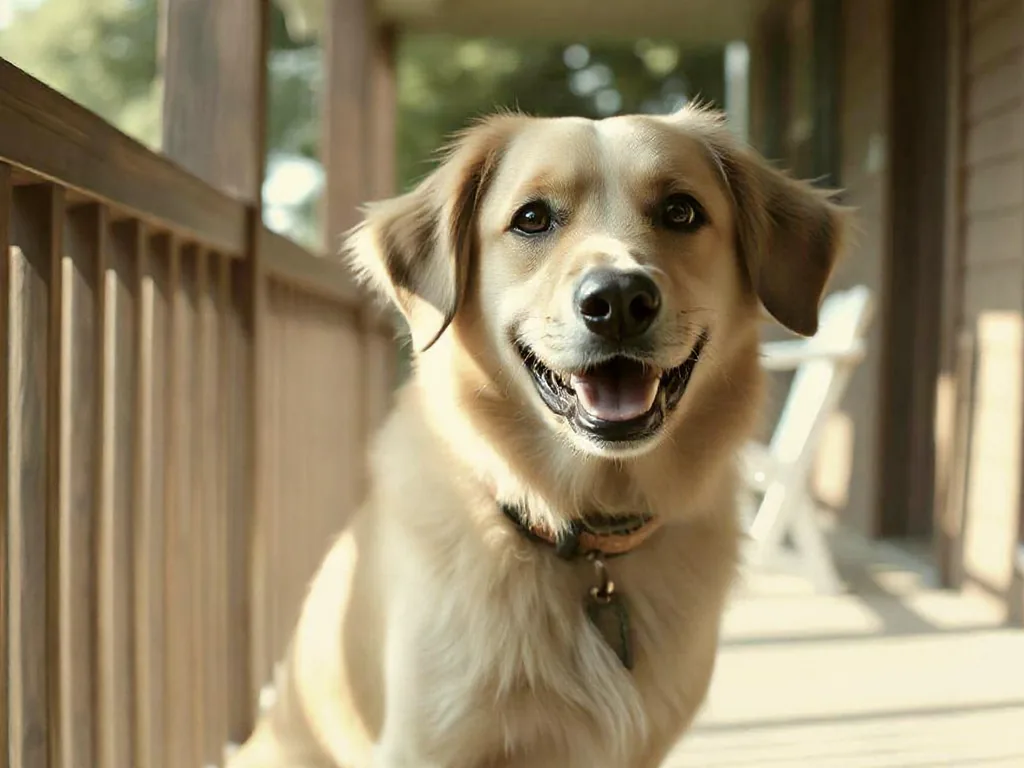
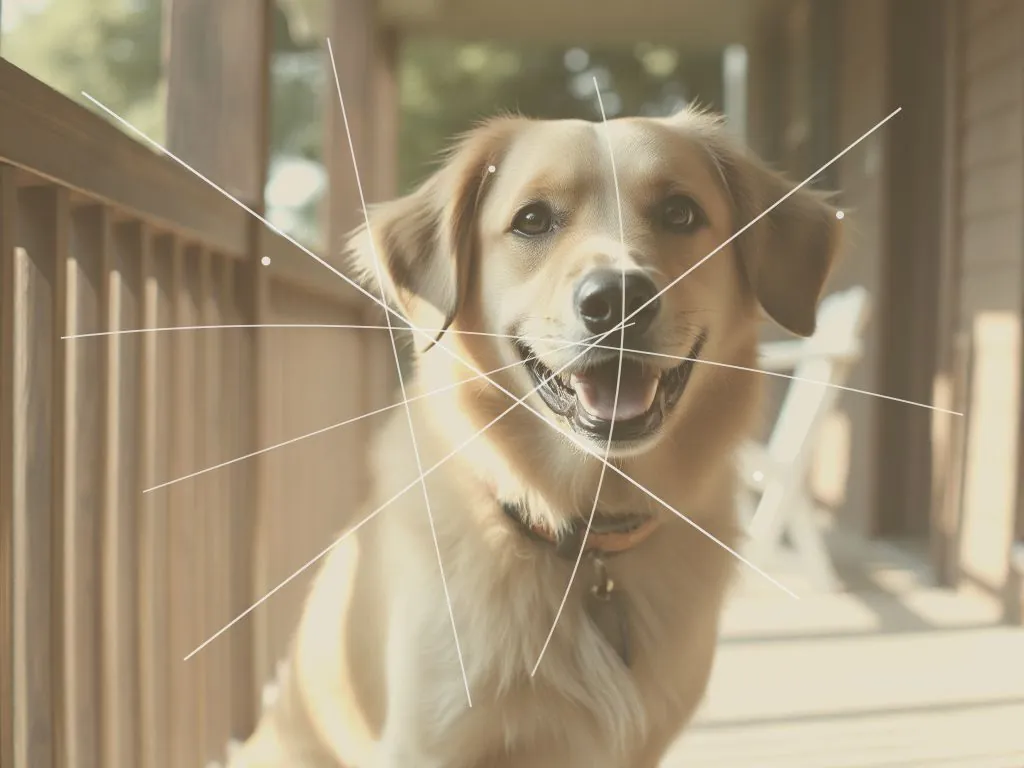
Clean a scratched image and restore faded pet photo AI detail
Shoebox storage leaves crisscrossing gouges and brittle cracks. One pass cleans a scratched picture while rescuing warm fur color.
- Clears white surface scratches, dust specks, and emulsion cracks on the wooden porch
- Rebuilds crisp golden-brown fur strands, whiskers, and glossy eye catchlights
- Corrects heavy amber film fading back to vibrant fur and natural porch wood
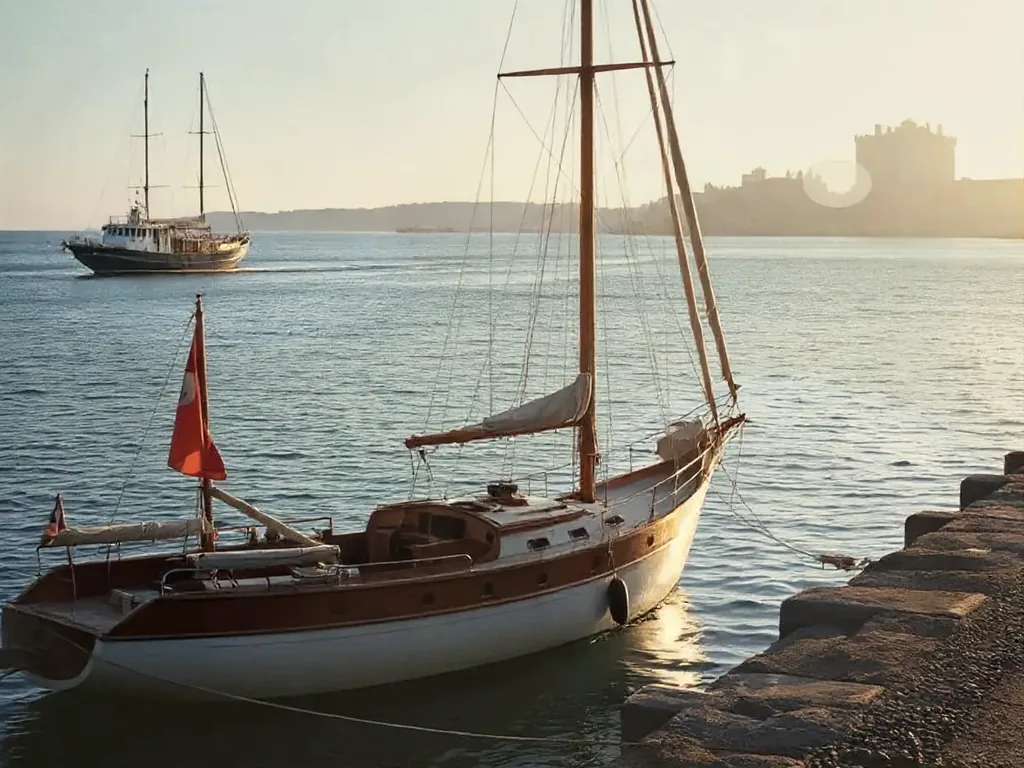
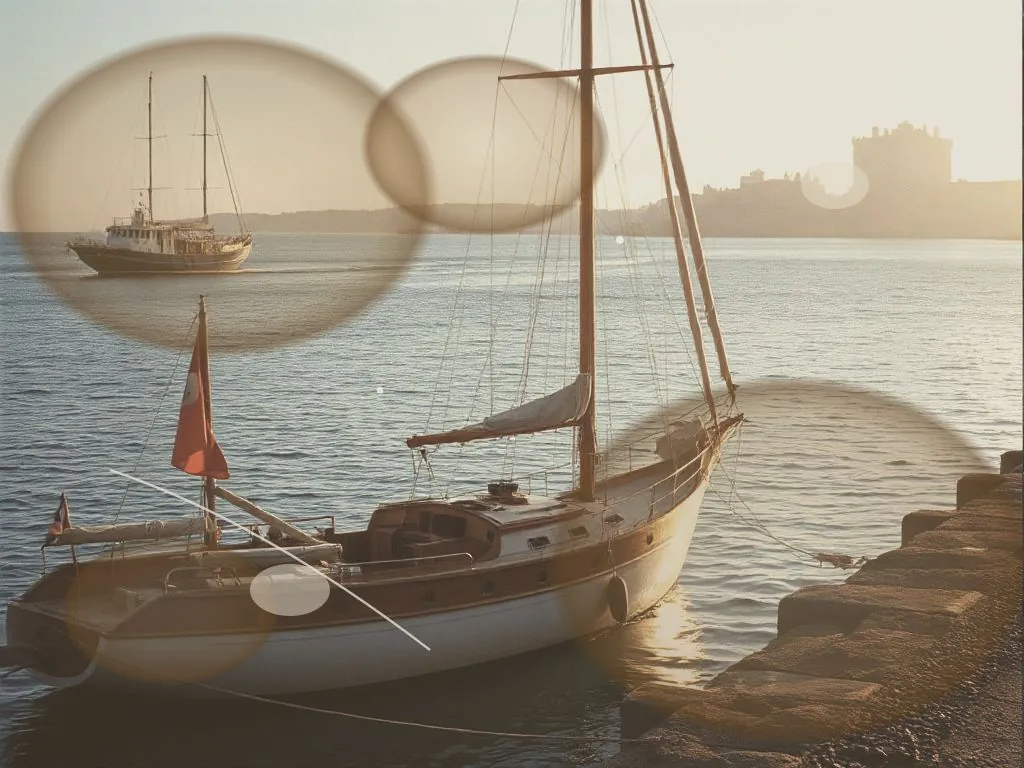
Clear tide-line rings and blotches on water damaged photos
Basement leaks and humidity leave dark mineral rings across gelatin paper. Automated water damaged photo restoration lifts stain edges cleanly.
- Removes brownish tide-line rings and moisture stains across the sky and harbor
- Keeps wooden sailboat rigging, mast lines, and stone pier masonry sharp
- Restores golden-hour contrast and harbor reflections dulled by dampness
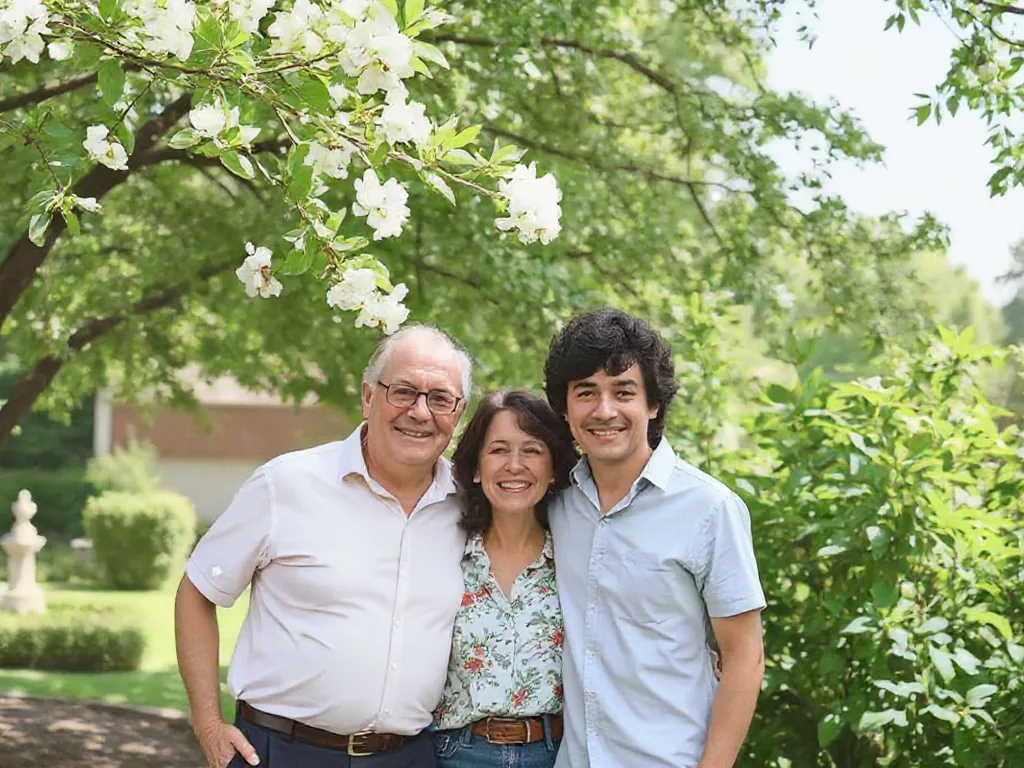
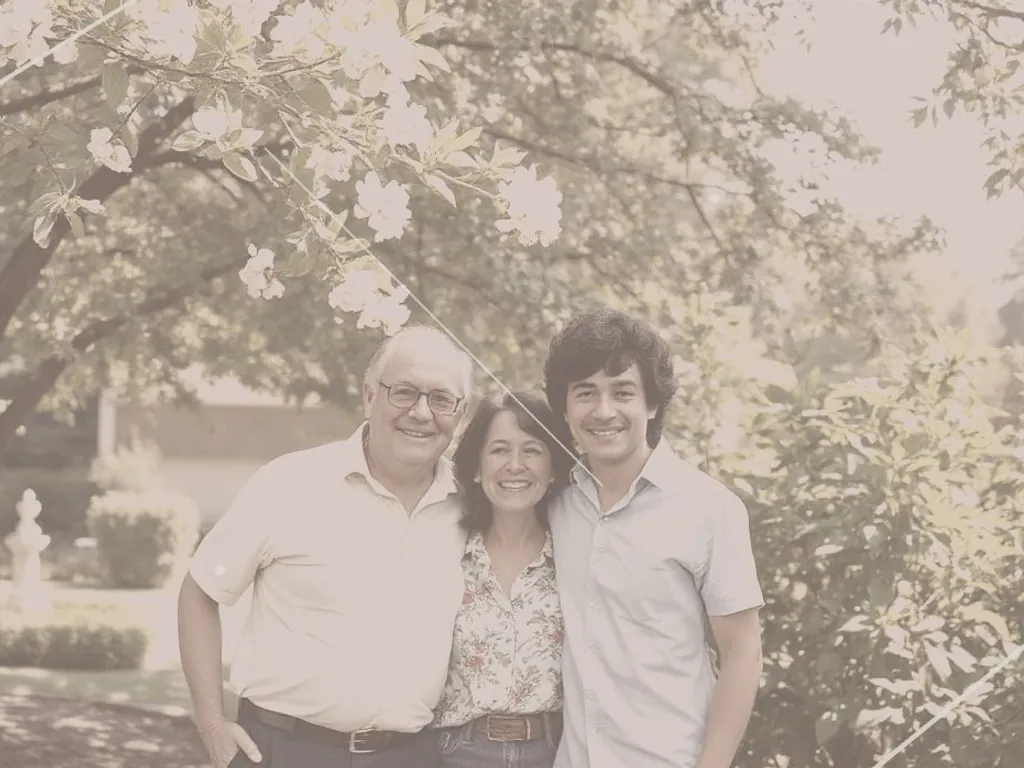
Revive UV-bleached faded images and corner creases on family prints
Sunlit frames drain cyan dye from color prints, leaving washed-out magenta-yellow casts. One pass brings back balanced skin tones and depth.
- Neutralizes severe UV yellow-magenta shift across all three smiling relatives
- Rebuilds shadow contrast and rich greens beneath blooming summer garden trees
- Smooths bent corner creases so your repaired print is ready to frame
Why Choose Our Online Damaged Photo Repair
Tears, rips & fold-crease inpainting
Reconstructs torn gaps, ripped edges, and white creases across cloth, stone, and faces without repetitive manual clone-stamping.
Scratches, cracked emulsion & water rings
Lifts surface gouges, spiderweb emulsion fractures, and flood tide-lines while keeping natural film grain intact.
Faded color recovery & lossless PNG
Rebalances UV yellow-magenta shifts on faded images and exports uncompressed lossless PNGs free of fresh JPEG artifacts.
How it works
Scan or upload your print
Upload a JPG, PNG, or WebP scan or glare-free phone capture (up to 20 MB) of any torn, scratched, stained, or faded photo.
Run AI damaged photo repair
Click Repair Photo. In ~14 seconds, neural inpainting clears surface defects and restores balanced contrast and color.
Inspect & save lossless PNG
Drag the comparison slider to verify faces and textures closely, then download your repaired print as a lossless PNG.
Best inputs and limitations
Works well on: torn or ripped prints, wallet creases, white scratches, cracked emulsion, flood stains on water damaged photos, sun-bleached faded images of family or pets, and 600–1200 DPI scans or flat phone captures.
Keep in mind: this tool fixes visual surface damage on viewable JPG, PNG, and WebP images — it cannot repair corrupted unreadable JPEG/RAW binary files or broken SD cards. Missing regions covering half a face cannot be invented from zero pixels, and clean blurry digital shots belong in AI Photo Enhancer.
How Neural Inpainting Fixes Tears, Cracked Emulsion & Fold Creases
Manual clone-stamping copies nearby pixels over a tear, leaving repeated fabric blotches or smeared brick mortar along fold lines. Context-aware damaged photo repair replaces repetitive brushwork with neural inpainting trained on millions of intact and degraded prints.
When you upload a ripped picture or creased portrait, the network isolates white tears, fold shadows, and silvering before synthesizing plausible local texture across the gap. That delivers natural creased photo fix results and lets you repair cracked photo emulsion digitally without erasing authentic film grain.
- Torn prints: Traces coat weaves, dress patterns, and stonework from both edges to mend old torn photos and any ripped photo cleanly.
- Emulsion scratches: Whether you remove scratches from old photos or clean one scratched image from an album sleeve, gouges lift away while eyelashes and whiskers stay sharp.
- Folded albums: Knowing how to restore creased and folded photographs depends on preserving real facial geometry on every old damaged photo rather than painting generic features.
For gently aged portraits with mild grain but no physical tears or stains, use our vintage restoration tool instead.
Restoring Water-Stained Prints & Sun-Bleached Faded Images
Water and sunlight damage paper prints differently, so simple contrast sliders fail on both. Moisture swells gelatin emulsion, pulls paper dyes into brown tide-line rings, and leaves glue halos from stuck album glass. To restore water damaged photos cleanly, the model maps luminance and chromatic continuity across stain borders—clearing blotches in skies and harbor reflections while keeping rigging crisp. Anyone learning how to repair water damaged photos should air-dry wet prints flat first so glare never hides surviving ink.
UV exposure causes a chemical color shift on faded images: cyan dye fades fastest in chromogenic C-prints, pushing prints toward flat yellow or magenta casts. Our color-channel recovery handles fix sun bleached faded photo AI workflows—rebuilding shadow black points to restore faded photos and old faded photos with natural skin and foliage tones. Clean but dark indoor shots or blurry modern digital files belong in our brightener or enhancer instead.
Scanning Prep: 600–1200 DPI Flatbed & Zero-Glare Phone Capture
Because damaged photo repair preserves detail present in your uploaded pixels, clean digitization dramatically improves results when you restore damaged photos or build a high resolution old damaged photo archive:
- 4×6 & 5×7 flatbed scans (600 DPI): Scan standard prints at 600 DPI (~2400×3600 px) as uncompressed PNG or high-quality JPG. Turn off Digital ICE dust removal on torn or silver-gelatin prints, as infrared passes can smear emulsion cracks.
- Wallet prints (1200 DPI): Small 2×3 snapshots need 1200 DPI so paper fibers separate from fine scratches on every scratched picture and scratched image, helping you recover damaged photos with crisp eyes.
- Torn halves without tape: Learning how to repair a torn photograph starts with butting dry edges together on clean glass over white paper—skip clear tape, whose reflections hide pixels on a ripped picture.
- Zero-glare phone capture at 90 degrees: No scanner? Lay old and damaged photos flat near indirect window light, disable flash, hold your phone strictly parallel at 90 degrees to eliminate glare and skew, and fill 80%+ of the frame.
Once you repair damaged photographs at native resolution, enlarge wallet scans afterward for framing.
Visual Surface Damage vs. Corrupted Binary Files & Enlargement
Searches for how to fix damaged pictures or how to repair damaged images span two distinct problems. Visual surface restoration repairs visible physical defects inside viewable JPG, PNG, or WebP files—such as a scratched picture, fold creases, water rings, UV color loss on a faded photo, or torn edges on a ripped photo.
By contrast, unreadable JPEG or RAW files that refuse to open, show grey truncation bands, or come off a broken SD card suffer binary header corruption rather than surface damage. Neural models cannot parse broken byte streams; run binary data-recovery software first, then bring the viewable file here if visual artifacts remain.
For physical print archives—when you need to restore old damaged photos for a family book or recover damaged images from an estate box—follow a two-step workflow:
- Step 1 — Repair defects first: Run damaged photo repair on old damaged photos at native scan resolution so the model clears tears, scratches, and water stains without magnifying flaws.
- Step 2 — Upscale for framing: Pass your lossless PNG to Increase Photo Resolution (2×–4× up to 25 MP for 8×10 or A4 300 DPI prints) or AI Super Resolution for 8K / 34 MP gallery canvases.
Browser Workflow, 48 Free Credits & 30-Day Auto-Delete
Everything runs directly in Chrome, Safari, Edge, and Firefox across Mac, Windows, iPhone, and Android—no desktop installer or GPU driver required to fix damaged photos. Try old damaged photo repair online free on your own scans or remove scratches from photo online free in seconds to inspect texture recovery first.
Every new account includes 48 free credits valid for 7 days, with no credit card required. Processing is metered at 12 credits per input megapixel with a 12-credit minimum per image (up to four previews on 1 MP scans, or 1–3 previews on 1–4 MP scans). Free credits generate watermarked previews so you can inspect repaired eyes, fabrics, and old damaged photos at full zoom before paying.
Once you are happy with your damaged photo restoration with AI, upgrading with a 500-credit pack ($6.99 USD during our Holiday Sale, regularly $9.99, through December 30) or Pro (from $9.95/mo billed annually at $119.40 first year, or $19.99/mo monthly) unlocks watermark-free lossless PNG downloads across every tool—including previews already generated. All uploaded old and damaged photos and outputs are kept privately for up to 30 days for support, then deleted automatically.
Damaged Photo Repair Guide by Physical Damage Type
Match your print's condition to the ideal scan setup, AI repair behavior, and post-repair enlargement step:
| Physical Damage Type | Ideal Scan / Capture Prep | AI Repair Behavior | Post-Repair Workflow |
|---|---|---|---|
| Torn & Ripped Prints | Butt dry pieces on 600 DPI glass with white backing paper; never tape the front | Inpainting bridges jagged white tears and rebuilds cloth, skin, and stone | Save lossless PNG; use Increase Photo Resolution (2×–4×) for 8×10 framing |
| Surface Scratches & Cracked Emulsion | Scan at 600–1200 DPI with Digital ICE off so fine emulsion fractures stay sharp | Lifts white abrasions, dust specks, and spiderweb cracks while keeping grain | Archive lossless PNG or chain to Super Resolution for 300 DPI wall prints |
| Water Stains & Flood Rings | Air-dry flat completely; shoot at 90 degrees in diffuse light if glass is stuck | Normalizes brownish tide-line rings and blotches across skies and water | Inspect gradients at 100% zoom; run Increase Photo Resolution if under 6 MP |
| Sun-Bleached & Faded Images | Disable scanner auto-color clipping so faint highlight and shadow tones survive | Recovers lost cyan/shadow channels, clears yellow-magenta cast, warms skin | Download lossless PNG or open Super Resolution for 4K/8K framed prints |
| Heavy Wallet Folds & Creases | Flatten gently under glass without flash glare so crease edges scan at 600+ DPI | Erases white fold stress lines and shadow grooves while preserving faces | Save lossless PNG; pair with Increase Photo Resolution for 300 DPI reprints |
Simple, Transparent Pricing
Choose the plan that fits your needs. New users get 48 free credits on signup.
Black Friday SaleEnds December 30. Discounts apply automatically at checkout.
Pro
Everything, one simple plan
$119.40 for the first year, then $199/year
- Up to 16x upscale
- Instant processing
- Ultra HD output
- Credits never expire
- Priority support
- Commercial license
Credit pack
Top up anytime — credits never expire
- No subscription needed
- Credits never expire
- Works on any account
Frequently Asked Questions
How does AI damaged photo repair fix torn, creased, and scratched prints?
Upload a scan or flat phone photo of your damaged pictures and click Repair Photo. Neural inpainting detects tears, creases, scratches, and emulsion cracks on a ripped picture or scratched image, rebuilding fabric and facial detail in ~14 seconds as a lossless PNG.
Can AI clean flood rings and moisture stains on water-soaked prints?
Yes. Once the print dries flat, scan or photograph it evenly without glare. Our model normalizes brownish tide-line rings, mineral stains, and blotchy contrast loss across skies, water, and portraits without manual clone-stamping.
How should I scan an old damaged photo or shoot it with a phone?
Scan 4×6 prints at 600 DPI and wallet prints at 1200 DPI with Digital ICE off. Without a scanner, lay the print flat near indirect window light, disable flash, hold your phone parallel at 90 degrees, and crop tightly before uploading.
Will it preserve real faces and fix sun-bleached colors?
Yes. It preserves authentic facial proportions, wrinkles, and pet fur while reversing UV yellow-magenta casts on sun-bleached prints and old and damaged photos—never waxy repaints. Missing regions covering half a face cannot be invented from zero pixels.
Can this tool fix corrupted unreadable JPEG or RAW files from a broken SD card?
No. Damaged photo repair fixes visible surface damage—tears, scratches, creases, water stains, and fading—on viewable JPG, PNG, and WebP files. Unreadable corrupted headers or broken SD cards require binary data-recovery software first.
Is AI damaged photo repair free, and how do credits and watermarks work?
Yes. Every new account receives 48 free credits on signup (no credit card required) to generate real watermarked previews on your own images. To download clean, watermark-free full-resolution PNGs, pick up a one-time 500-credit pack for $6.99 USD during our Holiday Sale (30% off $9.99 through December 30, never expires) or upgrade to Pro from $9.95/mo billed annually ($119.40 first year, 40% off $199/yr) or $19.99/mo monthly.
How do I enlarge repaired old damaged photos for 8×10 or 300 DPI framing, and are files private?
Every repair downloads as an uncompressed lossless PNG. To enlarge smaller scans for 8×10, A4, or 300 DPI prints, pass your PNG to Increase Photo Resolution (up to 25 MP) or Super Resolution (up to 34 MP). Uploads are kept privately for up to 30 days for support, then deleted automatically.