Photo Enhancer
Free AI Photo Enhancer Online
One-click online photo quality and AI resolution enhancer that turns blurry, noisy, or low-pixel pictures into crisp HD and 4K-ready images in seconds — right in your browser.
- Full-res PNG output
- 48 free credits, no card
- No app to install
- Deleted after 30 days
 Before
 After
Drag & drop your image here
or click to browse. Supports JPG, PNG, WebP (max 20 MB)
JPG · PNG · WebP up to 20 MB · Deleted after 30 days
See How Our AI Sharpens Every Shot
Drag the slider on any example below to inspect real outputs produced directly by this super-resolution neural model across product shots, indoor pet photos, travel landscapes, and storefront signage (degraded test sample inputs processed unaltered in one click).
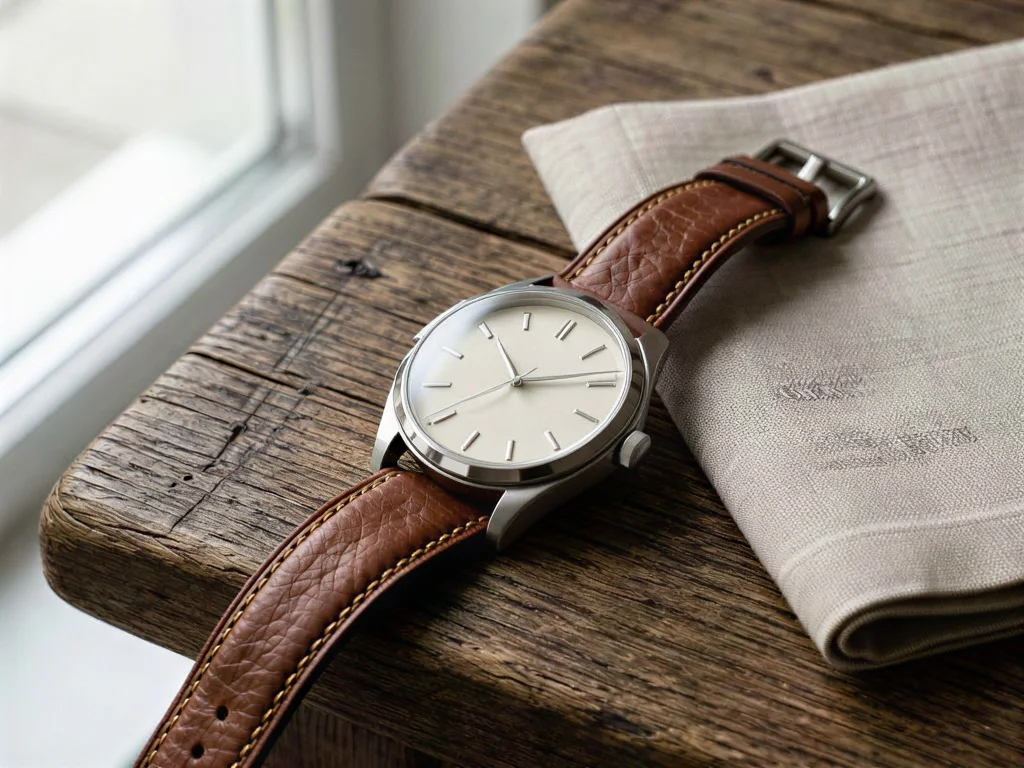
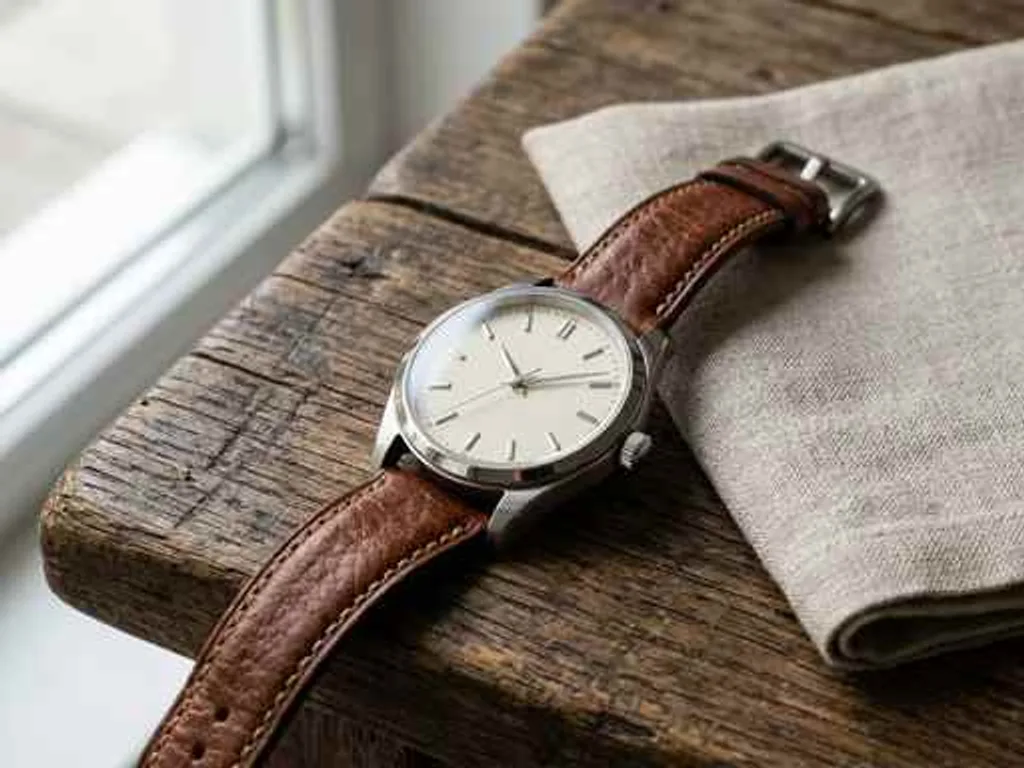
Recover tactile leather, metal, and fabric weave on compressed product photos
Supplier thumbnails and compressed catalog uploads blur surface materials. Enhance image quality in one click for zoom-ready store listings.
- Restores pebbled brown leather grain and contrast saddle stitching on the strap
- Tightens brushed steel bezel edges, baton dial markers, and watch hands
- Reveals natural oak wood grain and crisp linen weave without sharpening halos
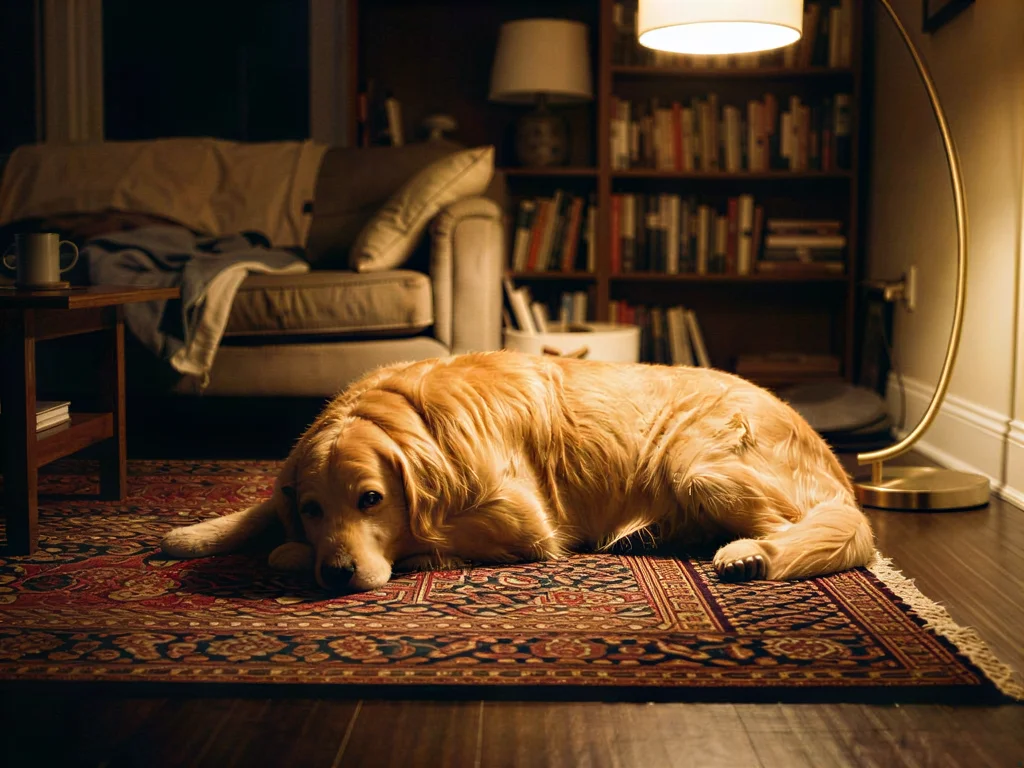
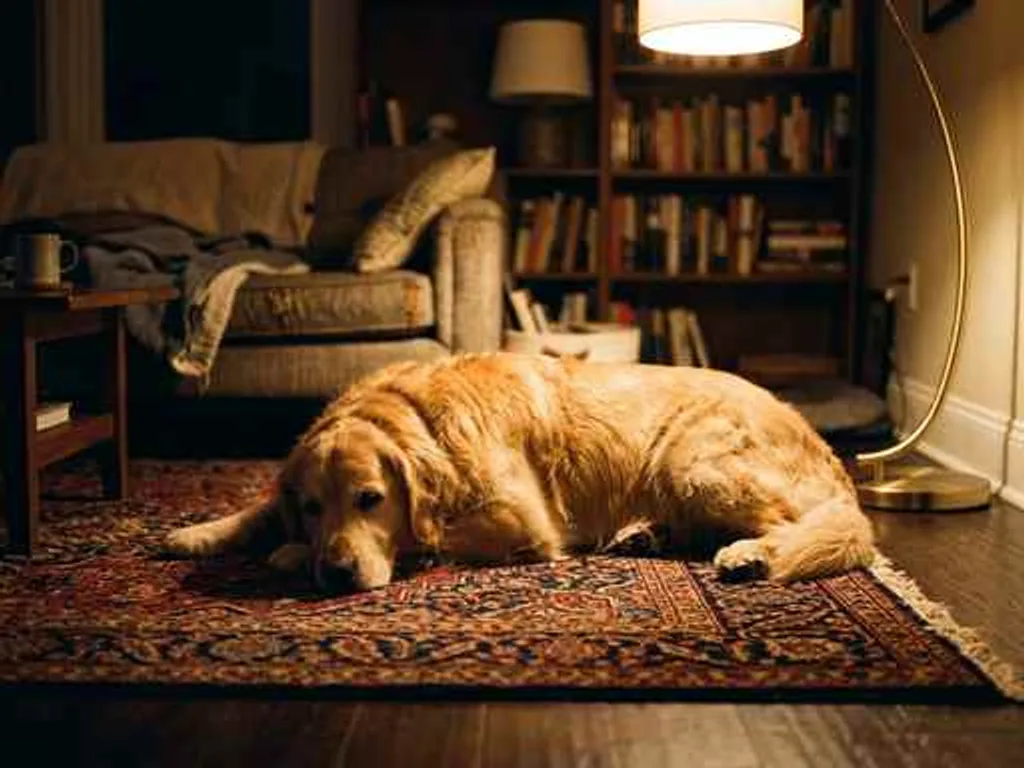
Clean up noisy indoor lamp-lit shots while keeping every fur strand sharp
Warm indoor phone photos often suffer from muddy ISO blotches and soft focus. Our AI clears compression noise without turning fur into plastic.
- Separates individual golden coat hairs, whiskers, and catchlights in the eyes
- Brings back intricate red-and-navy woven pattern detail across the Persian rug
- Smooths away blotchy shadow noise on wood floors and dark bookshelves
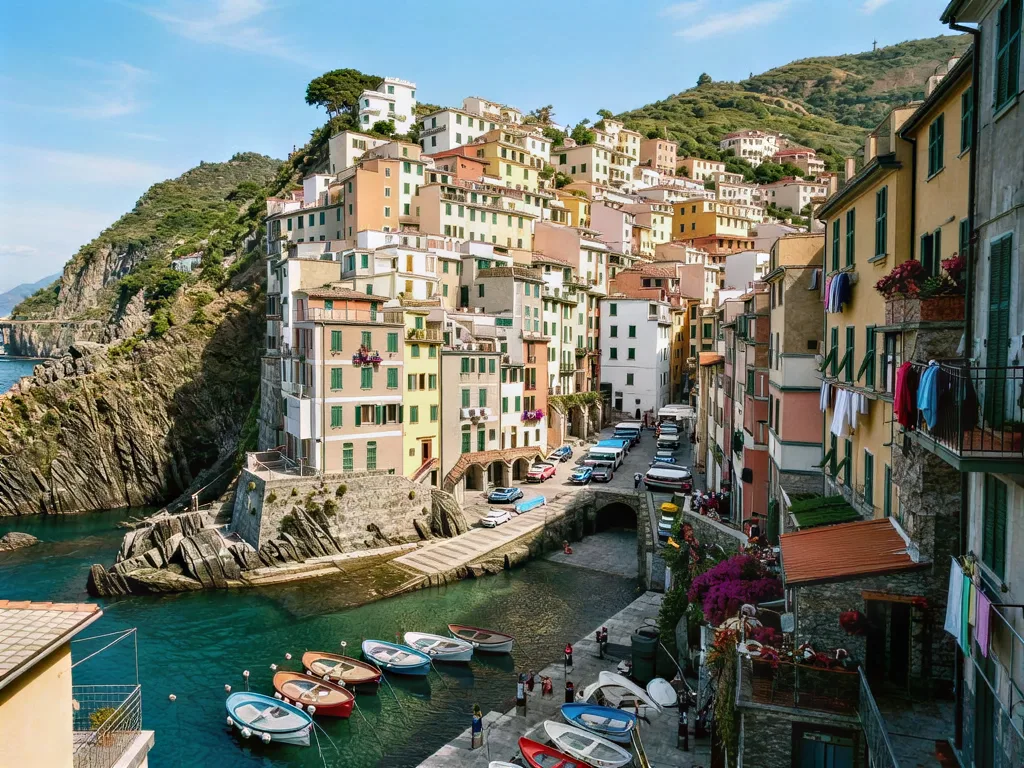
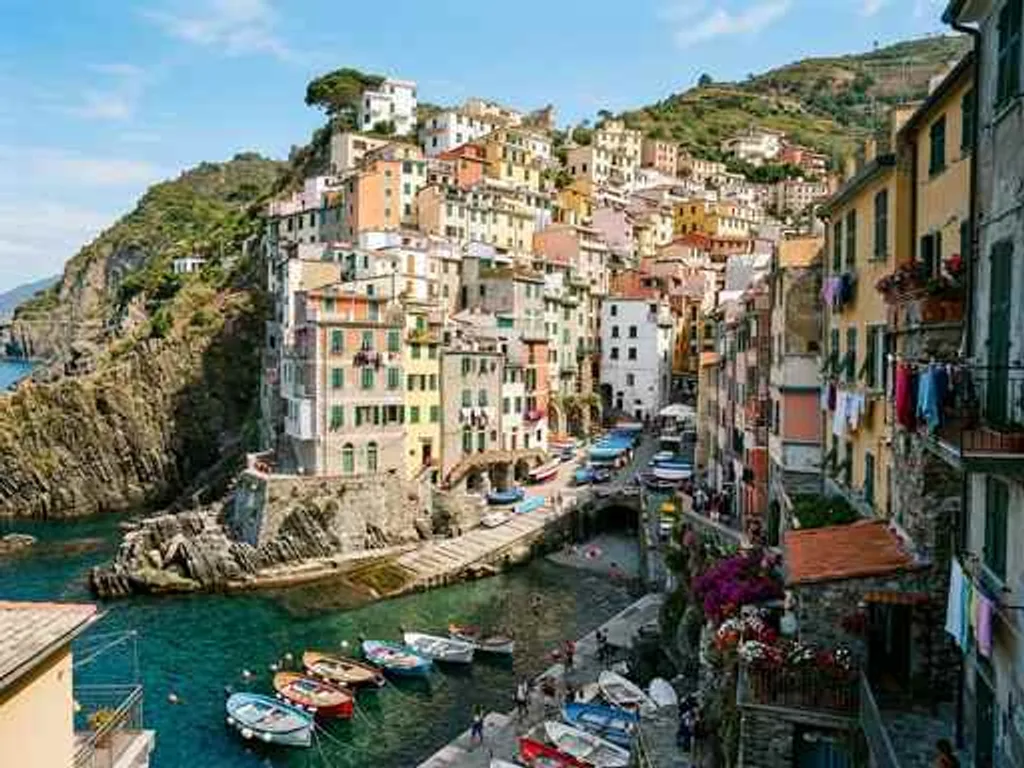
Sharpen distant facades, cliff textures, and harbor details in travel photos
Social media uploads and older camera files flatten distant scenery. AI super-resolution restores crisp micro-contrast from foreground to horizon.
- Defines pastel hillside facades, green window shutters, and balcony railings
- Recovers layered coastal rock strata and sunlit harbor boat hulls cleanly
- Doubles pixel dimensions so compressed travel shots look sharp on 4K displays
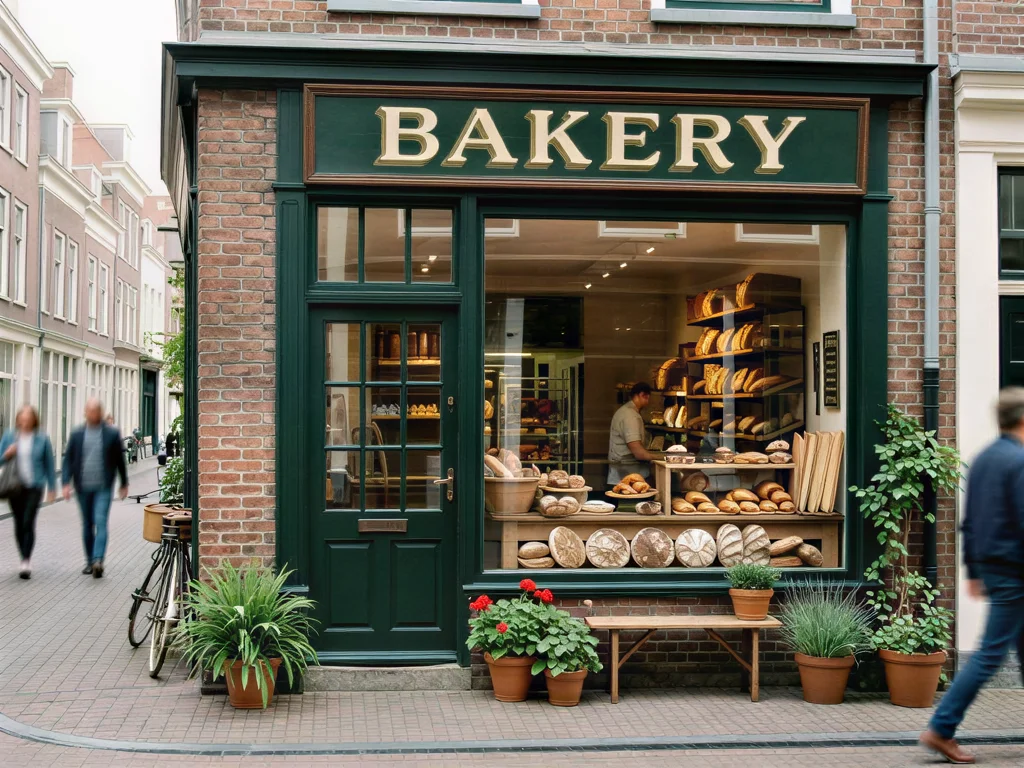

Eliminate JPEG mosquito halos around lettering, brickwork, and window displays
Heavily compressed street and real-estate photos turn lettering and brick mortar into fuzzy blocks. One pass restores clean architectural geometry.
- Crisps raised gold serif BAKERY lettering with zero blocky edge artifacts
- Rebuilds red-brick mortar lines, dark green wood trim, and window mullions
- Clarifies artisan bread loaves inside the glass display and foreground foliage
What Our Free AI Photo Enhancer Does
Blurry photo & clarity recovery
Reconstructs crisp facial features, clean edges, and legible lettering on unfocused or soft pictures without harsh sharpening halos.
Denoise & pixel block cleanup
Clears indoor ISO grain, sensor speckle, and WhatsApp or social JPEG blocks so pixelated pictures look clean at 100% zoom.
HD & 4K resolution output
Adaptively scales smaller photos up to 2× (up to 16 MP — well above 4K UHD's 8.3 MP); unlock watermark-free PNGs on any credit pack or Pro.
How it works
Upload your photo or image
Drag and drop a JPG, PNG, or WebP picture up to 20 MB — portraits, product shots, landscapes, or text signage.
Enhance photo quality with AI
Click Enhance Photo. Our AI quality model denoises, unblurs, and reconstructs sharp pixel detail in ~6 seconds.
Download full-resolution PNG
Inspect before and after with the wipe slider, then save your enhanced photo as a crisp lossless PNG.
Best inputs and limitations
Works well on: blurry or slightly unfocused photos, pixelated thumbnails, noisy low-light phone shots, e-commerce product catalogs, storefront signs & slide text, and passport-size ID photos (clarity cleanup while preserving true biometric proportions).
Keep in mind: neural super-resolution reconstructs detail from existing pixels — severe camera-shake streaks or completely unreadable micro-print cannot be invented, and physical paper creases or heavy dust & scratches on vintage scans belong in our Old Photo Restoration tool.
What Makes an Artificial Intelligence Photo Enhancer Different?
A traditional editor's sharpness slider only exaggerates contrast along pixel borders, leaving bright halos around hair and lettering while making ISO grain and JPEG blocks look worse.
Our super-resolution neural network — trained on millions of high-definition image pairs — works at the structural level instead. Acting simultaneously as a photo clarity enhancer, denoise photo filter, and detail reconstructor, it separates compression artifacts from real scene geometry to rebuild eyelashes, skin pores, leather grain, foliage, and clean typography without giving faces a plastic repaint.
Free Online Photo Quality Enhancer — No App or Freeware to Install
Everything runs in your browser on iPhone, Android, Mac, and Windows, so you never have to install a mobile enhancement app or bulky desktop freeware with background update daemons. Drop a JPG, PNG, or WebP file (up to 20 MB) into the online photo enhancer above and click Enhance Photo.
Every new account receives 48 free credits on signup (no credit card required) so you can inspect real AI quality enhancement on your own pictures first; a 500-credit pack ($6.99 USD during our Holiday Sale, regularly $9.99, through December 30) or Pro (from $9.95/mo billed annually at $119.40 first year, or $19.99/mo monthly) unlocks watermark-free full-resolution PNG downloads, and uploaded files are kept privately for up to 30 days for support, then deleted automatically.
HD & 4K Photo Enhancer vs. 8K Image Upscaler: Resolution Math
As an adaptive AI photo resolution enhancer and photo size enhancer, this tool scales smaller images up to 2× within a 16-megapixel ceiling. That turns a soft 720p (0.9 MP) or 1080p (2.1 MP) file into crisp HD or 4K UHD output — standard 4K (3840×2160) is 8.3 MP, comfortably inside the 16 MP cap — while already-large 12–16 MP camera shots are denoised and clarified without inflating file sizes unnecessarily.
When your project requires an 8K workflow (7680×4320, ~33.2 MP) or fixed 4×, 8×, or 16× enlargement for gallery prints, switch to our flagship AI image upscaler — your same account credits work across every tool.
Blurry Photos, Text Clarity, Low-Light Denoise & Passport ID Prep
Different low-quality pictures fail for different reasons, and one-click neural enhancement addresses four common scenarios cleanly. First, as a blurry photo enhancer and online pixel enhancer, it tightens slightly missed focus and strips blocky artifacts from re-shared WhatsApp or social downloads. Second, for text clarity (shown in our storefront sign example above), it clears JPEG mosquito ringing around signage, presentation slides, receipts, and real-estate boards so legible characters snap into focus.
Third, it removes blotchy chroma noise on indoor lamp-lit phone shots. Fourth, it handles gentle passport-size photo cleanup online to reduce lighting grain on ID or visa headshots while preserving true facial identity — always verify your issuing agency's rules against retouching. For physical dust removal, silvering, or paper creases on scanned film prints, use Old Photo Restoration; for portrait blemish smoothing, use AI Photo Retouching.
Choosing the Best Free AI Photo Enhancer for Design & Editing Workflows
Even if you design in Canva, Picsart, or Adobe Photoshop, built-in canvas sharpness sliders rarely recover lost pixel structure on a compressed client logo or supplier product shot.
Running low-resolution assets through a dedicated browser AI photo quality enhancer before importing them into Canva — or using it as a quick web-based AI enhancer for Photoshop composites — keeps layered layouts crisp at 300 DPI without needing local GPU plug-ins.
Comparing Online AI Photo Enhancers, Desktop Software & Apps
Searching for the best AI photo enhancer depends on whether you edit single images in a browser, batch-process RAW folders offline, retouch mobile selfies, or assemble graphic layouts:
| Workflow Category & Examples | Platform | Best Use Case | Key Trade-Off |
|---|---|---|---|
| One-Click Browser Super-Resolution (SuperResolution, Remini Web, EZ Enhancer-style web tools) | Web browser on iOS, Android, Mac & Windows | Fast all-purpose photo quality, denoise, text clarity & up to 2× 4K-ready enhancement with zero install | Requires internet connection; 48 free preview credits on signup, then $6.99 USD credit pack (Holiday Sale, reg. $9.99) or Pro from $9.95/mo ($119.40 first yr) for watermark-free PNGs |
| Desktop GPU Software (HitPaw, AVCLabs Photo Enhancer AI, Aiarty Image Enhancer) | Windows & macOS desktop installer | Offline local-GPU batch queues, multi-model denoise photo passes, and large camera archives | Multi-GB download, dedicated GPU VRAM requirements, background updaters, and higher desktop license cost |
| Mobile Portrait & Selfie Apps (Remini, AirBrush, PhotoGrid AI Image Enhancer) | iOS & Android app stores | Close-up selfie face reconstruction, beauty skin smoothing, and social portrait filters | Portrait-centric models can over-smooth pores or subtly alter facial features on non-selfie scenes |
| Design Suites & Raw Editors (Canva, Picsart, Adobe Lightroom & Photoshop) | Cloud design suite or desktop subscription | Enhancing an image mid-layout for social posts, flyers, or multi-layer PSD composites | AI enhancers sit inside full paid suites; pre-enhancing raw assets in browser often yields cleaner edges |
| Niche & Conversational AI Tools (MyHeritage In Focus, PicWish, Cutout.Pro, Google Gemini AI) | Web & cloud apps | Genealogy colorization (MyHeritage), e-commerce cutouts (PicWish, Cutout.Pro), or prompt edits (Gemini) | Conversational AI regenerates scenes from prompts rather than preserving strict pixel-aligned fidelity |
Simple, Transparent Pricing
Choose the plan that fits your needs. New users get 48 free credits on signup.
Black Friday SaleEnds December 30. Discounts apply automatically at checkout.
Pro
Everything, one simple plan
$119.40 for the first year, then $199/year
- Up to 16x upscale
- Instant processing
- Ultra HD output
- Credits never expire
- Priority support
- Commercial license
Credit pack
Top up anytime — credits never expire
- No subscription needed
- Credits never expire
- Works on any account
Frequently Asked Questions
Is this AI photo enhancer online free to try?
Yes. Every new account receives 48 free credits on signup (no credit card required) to generate real watermarked previews on your own images. To download clean, watermark-free full-resolution PNGs, pick up a one-time 500-credit pack for $6.99 USD during our Holiday Sale (30% off $9.99 through December 30, never expires) or upgrade to Pro from $9.95/mo billed annually ($119.40 first year, 40% off $199/yr) or $19.99/mo monthly.
How do I unblur and improve photo quality online?
Upload a JPG, PNG, or WebP file (up to 20 MB) to the box above and click Enhance Photo. In roughly 6 seconds, our super-resolution neural network strips JPEG compression blocks, denoises low-light grain, and reconstructs sharp edges for immediate slider comparison.
Can this work as a 4K or 8K photo enhancer?
This tool adaptively scales smaller pictures up to 2× within a 16 MP ceiling, which comfortably covers Full HD (2.1 MP) and 4K UHD (3840×2160, 8.3 MP). If you need fixed 4×, 8×, or 16× enlargement up to 8K (34 MP), use our flagship AI Image Upscaler on the homepage — both tools share the same credit balance.
Does it sharpen text, signs, and passport-size ID photos?
Yes for mild blur and compression ringing: storefront signage, slide captures, and document scans gain cleaner letter edges when characters are still distinguishable. For passport-size or visa ID photos, it cleans lighting noise while keeping natural facial geometry — always check your government agency's biometric photo rules.
Do enhanced photos have a watermark?
Previews generated with free signup credits carry a watermark so you can verify genuine detail recovery before paying. Unlocking any credit pack or Pro plan removes watermarks across all future generations and lets you download already-enhanced photos cleanly.
Do I need to install a mobile app or desktop software?
No installation is required. The entire workflow runs in Chrome, Safari, Edge, or Firefox across iPhone, Android, iPad, Mac, and Windows PCs — cloud GPUs handle neural inference in seconds, so you never need an APK, a multi-gigabyte desktop installer, or a dedicated graphics card.
Are my uploaded pictures kept private?
Yes. Every image you upload is transmitted over encrypted HTTPS, processed in isolated storage solely to generate your enhanced PNG, never published to public galleries or shared with third parties, and kept privately for up to 30 days for support, then automatically deleted from our servers.