AI Image Brightener
Free AI Image Brightener Online
One-click online image brightener that lifts dark shadows, relights backlit faces, and balances dim indoor or night exposure while suppressing shadow ISO noise — exporting lossless PNGs in your browser.
- Lossless PNG output
- 48 free credits, no card
- No app to install
- Deleted after 30 days
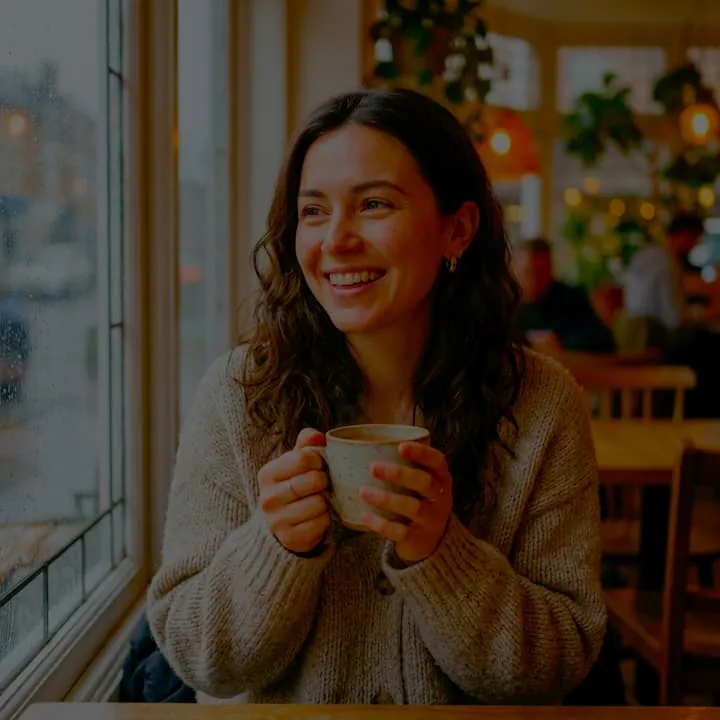 Before
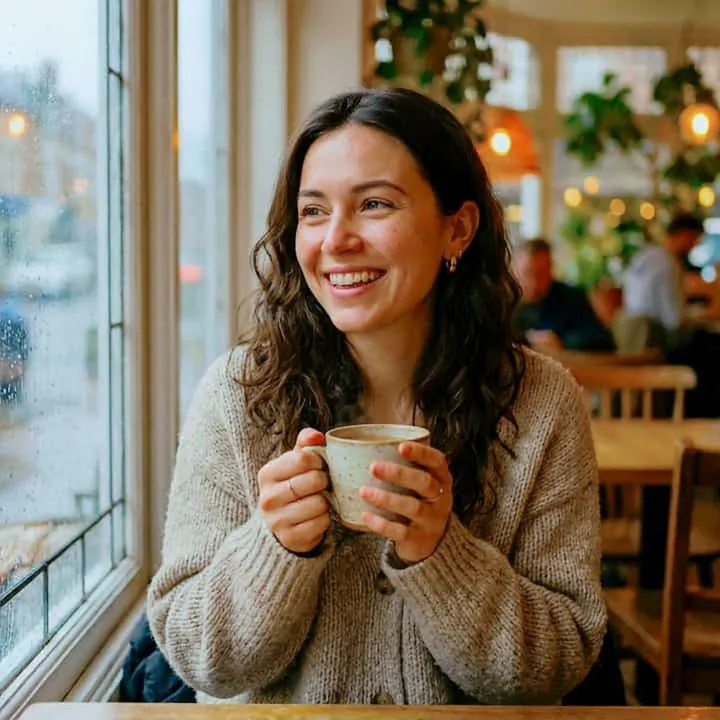 After
Drag & drop your image here
or click to browse. Supports JPG, PNG, WebP (max 20 MB)
JPG · PNG · WebP up to 20 MB · Deleted after 30 days
See How Our Image Brightener Relights Dark Photos
Slide any scene below to inspect real one-click outputs across backlit courtyard portraits, dim room listings, evening bistro dishes, and blue-hour streets.
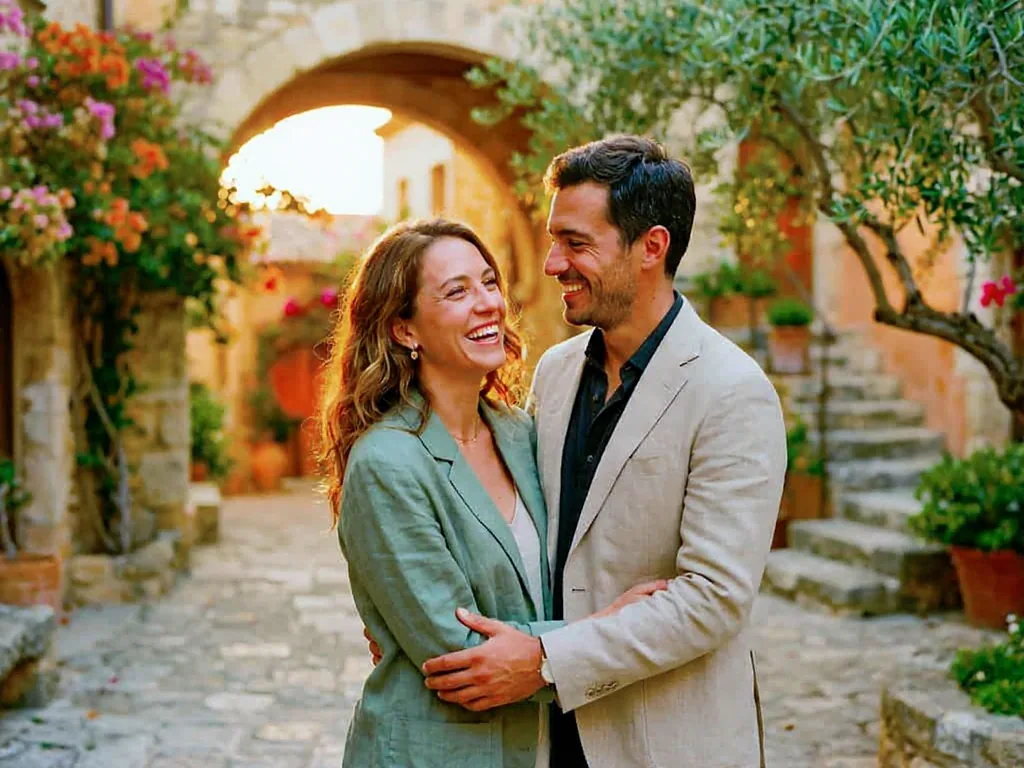
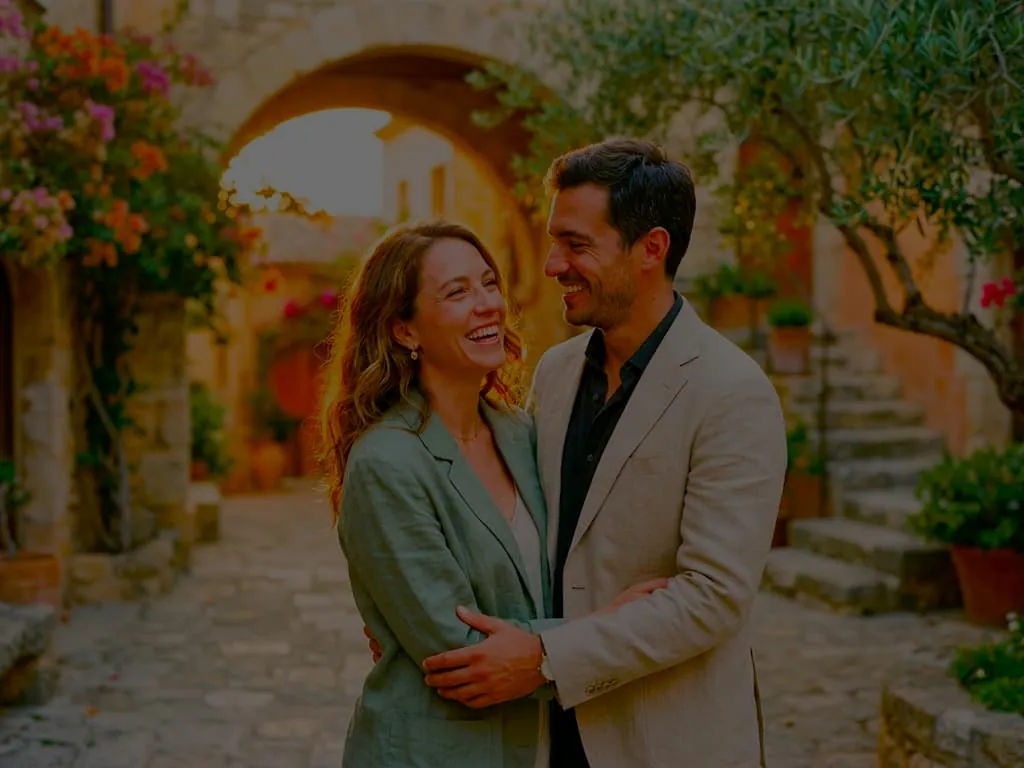
Lift shadowed faces against golden-hour arches without blowing out sunlit stone
Sunlit archways meter for bright background light and drop faces into silhouette. Our picture brightener acts like a fill reflector to make a photo brighter on subjects while holding warm highlights.
- Opens facial expressions, eye catchlights, and natural skin tones on the smiling couple
- Recovers crisp weave and lapel folds across shadowed linen jackets without gray wash
- Preserves golden-hour sunlight and carved stone archway texture in the background

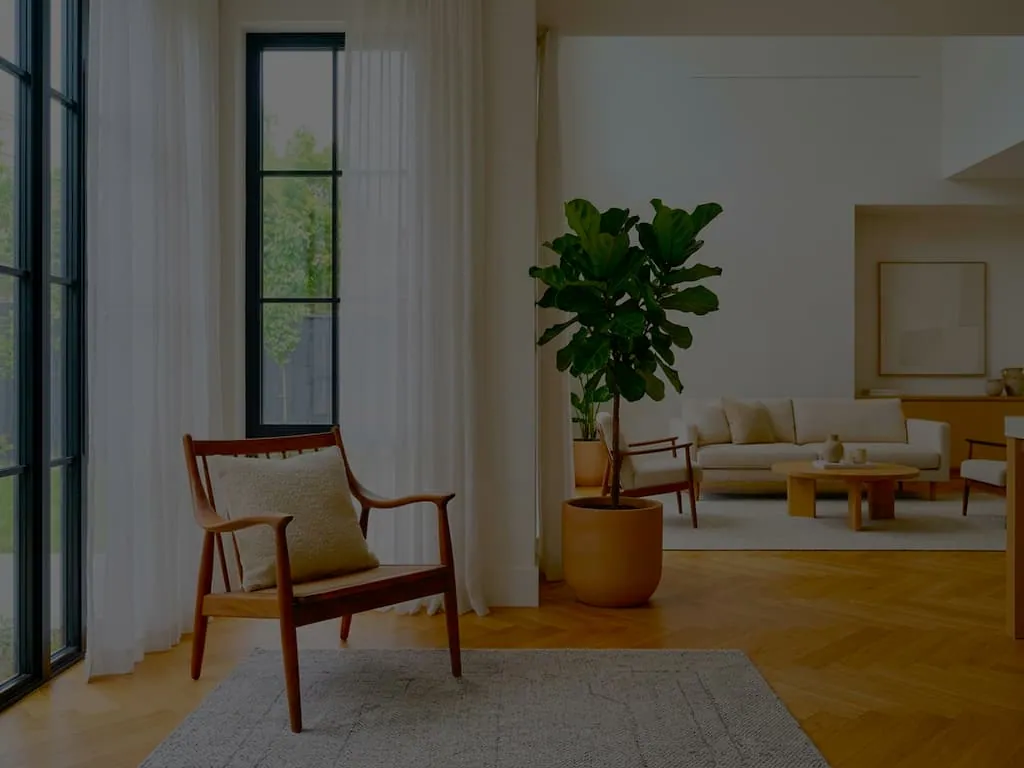
Brighten dim living-room interiors and catalog shots with accurate colors
Overcast showings and single-lamp rooms make MLS and store photos look cramped. Brighten any listing image online while keeping wood, fabric, and wall paint true.
- Reveals warm grain on the walnut mid-century armchair frame and oak herringbone floor
- Separates tactile loops across the cream bouclé throw pillow and woven wool rug
- Lifts corner shadows around the potted fiddle-leaf fig without clipping bright trim


Enhance food photos in low light without harsh flash or muddy yellow casts
Candlelit dining rooms push phones to high ISO, leaving dishes dull and amber-tinted. This photo brightener restores appetizing clarity while taming heavy tungsten casts.
- Brings out glossy cherry tomatoes, fresh basil leaves, and handmade tagliatelle pasta
- Clarifies shaved parmesan curls and subtle olive oil sheen on the stoneware plate
- Suppresses blotchy high-ISO shadow noise across the dim evening bistro table
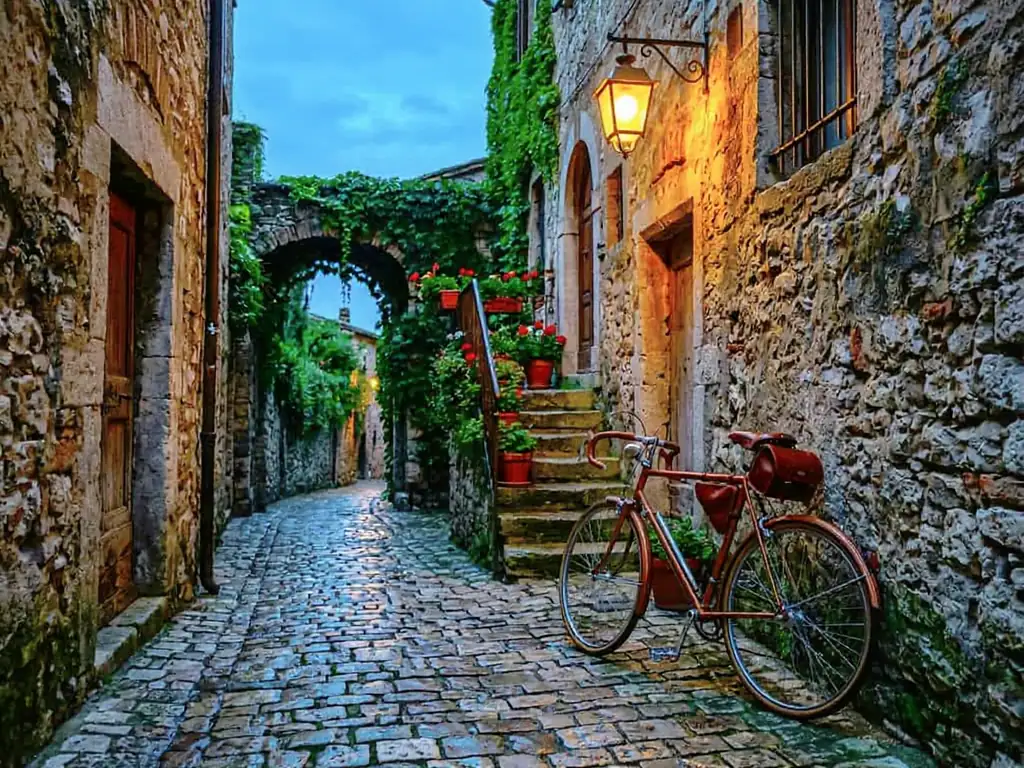
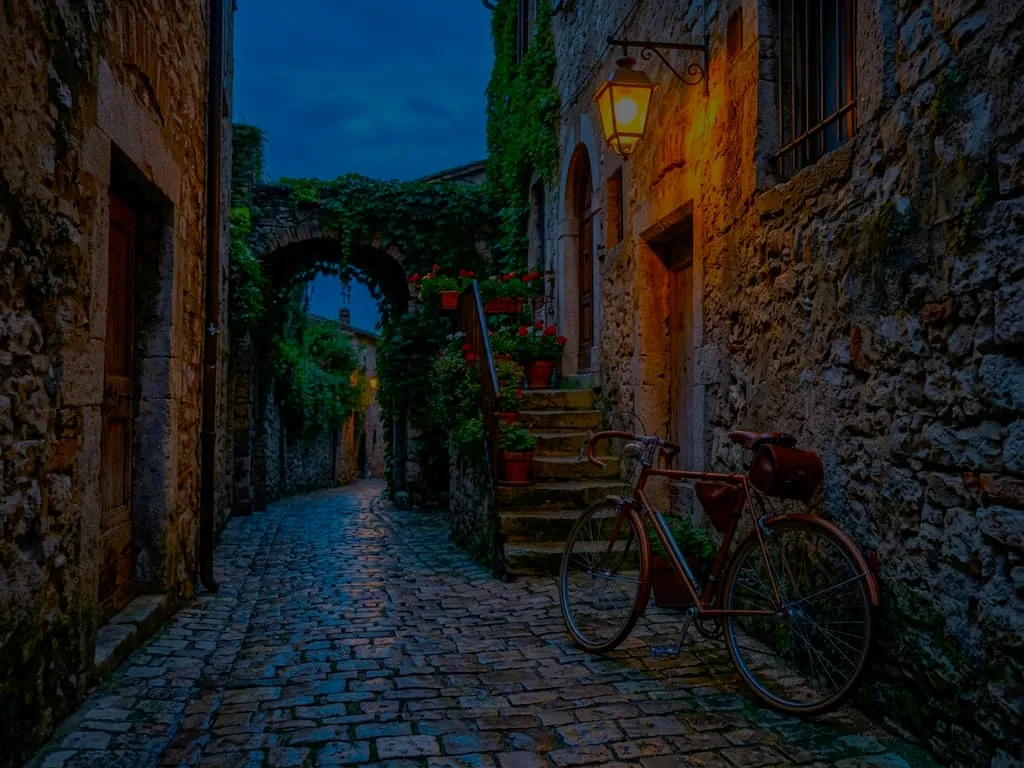
Recover blue-hour alleyways and night street scenes without clipping lanterns
Global exposure sliders turn streetlamps into white blobs just to reveal dark pavement. Context-aware tone mapping lifts shadowed stonework while protecting glowing fixtures.
- Unveils the parked vintage bicycle frame, spokes, and ivy-covered limestone archway
- Holds warm amber glow inside the wrought-iron wall lantern without halo clipping
- Denoises wet cobblestone reflections so evening shadows look clean instead of speckled
Why Use an Image Brightener Instead of a Basic Brightness Slider?
Local shadow lift, unclipped skies
Lifts shadowed faces, corners, and foregrounds on an adaptive curve while holding bright windows, clouds, and lamps below 255.
Shadow ISO noise & cast cleanup
Suppresses color speckle inside dark 8-bit JPEG shadows and neutralizes muddy 2700K indoor lamp casts in one pass.
1-click lossless PNG export
Relights JPG, PNG, and WebP files in ~10s while preserving your original aspect ratio (~1 MP / ~1024 px class output) and exports an uncompressed lossless PNG in your browser.
How it works
Upload JPG, PNG, or WebP
Drop a dark portrait, dim listing, indoor food shot, or night street photo (20 MB max) into the browser uploader.
Brighten Image Online (~10s)
Click Brighten Image to map scene exposure, lift dark shadows, balance warm casts, and suppress low-light grain.
Check Brightened view & save PNG
Slide across the Brightened preview to inspect shadow detail and highlights, then save your lossless PNG.
Best inputs and limitations
Works well on: backlit portraits with shadowed faces, dim indoor phone shots under 2700K lamps, dark real-estate and product listings, evening food photography, twilight streets, and underexposed snapshots with faint shadow detail.
Keep in mind: pitch-black (0,0,0) clipped shadows or solid white (255,255,255) skies hold zero sensor data to recover; this exposure image brightener is not a cosmetic "brighten teeth" app or beauty filter (see AI Photo Retouching); and it processes still JPG, PNG, and WebP files up to 20 MB rather than MP4 timelines like DaVinci Resolve.
Why Linear Brightness Sliders Fail vs. Context-Aware Relighting
When you brighten a picture with a basic slider, the editor adds a uniform offset to every pixel in an 8-bit (0–255) JPEG. Pushing +45 brightness on a dark portrait clips 220–250 windows and skies to 255 white, washes 0–12 blacks into milky gray, and amplifies chrominance blotches and grain in deep shadows.
A neural image brightener runs spatially adaptive low-light image enhancement and local tone mapping instead. It separates shadowed subjects from light sources, lifts dark RGB(8–90) zones on a steeper curve, and rolls off highlights smoothly below 255. Simultaneously, this picture brightener neutralizes 2700K tungsten casts and denoises low-light photography where lifted shadows normally break into blocks. For well-lit shots needing focus sharpening, use our clarity tool.
How to Brighten Dark Photos on iPhone, Mac, Windows, Photoshop & Web
Choosing how to brighten an image cleanly depends on your device and shadow depth:
- iPhone & iPad: If you are looking up how to brighten a photo on iPhone, open Photos → Edit and raise Brilliance (+20 to +40) plus Shadows (+30 to +55) rather than Exposure alone, which clips skies.
- macOS & Windows: Use macOS Preview (Tools → Adjust Color → Shadows) or Windows Photos (Edit → Light). Neither suppresses chroma speckle on high-ISO shots.
- Adobe Photoshop: Learning how to brighten photos in Photoshop starts with Filter → Camera Raw Filter (Shadows, Blacks, Color Noise Reduction) or Image → Adjustments → Shadows/Highlights (30–60 px Radius) — precise, though requiring a paid suite subscription and manual masks.
- 1-Click Browser AI: To lighten a photo fast without curve masks, our online image brightener balances faces, corners, and grain in ~10s.
Workflows to Brighten a Picture: Backlit Faces, Listings & Food
Knowing how to brighten a face in a photo without turning sunset skies white solves a classic metering trap. Phone meters expose for bright sky or glass, leaving faces two stops dark. Using an image brightener with local relighting restores catchlights and skin tones whenever you are figuring out how to brighten a photo shot against harsh sun — or want to brighten a picture indoors without flash.
Agents and sellers use this picture brightener to brighten image shadows in dim rooms and catalog items for MLS, Airbnb, and Shopify, or to brighten PNG graphics to lossless PNG. Because our photo brightener preserves original aspect ratio and framing (~1 MP / ~1024 px class output) without cropping, you can lighten image shadows here first, then pass the lossless PNG to our 2×/4× upscaler (up to 25 MP), 300 DPI converter, or 8×–16× homepage tool whenever you need 4K or print dimensions.
Format Tips, Clipped Sensor Physics & Still Photos vs. Video
This browser picture brightener accepts JPG, PNG, and WebP files up to 20 MB in Chrome, Safari, Edge, and Firefox on phone or desktop. Export iPhone HEIC or 12/14-bit RAW files (CR3, NEF, ARW, DNG) to PNG or 95%+ JPG before you lighten a photo here.
Sensor physics matters: pixels clipped to solid RGB(0,0,0) black or RGB(255,255,255) white hold zero optical detail to recover. Best photo brightening results come from dim RGB(8–80) shadows with faint edges. Keep scope in mind: queries on how to brighten an image in DaVinci Resolve apply to MP4/MOV video color wheels (see our video guide), while torn paper scans belong in Old Photo Restoration.
Transparent Metering: 48 Free Credits, Lossless PNGs & 30-Day Auto-Delete
New accounts get 48 free credits on signup (valid for 7 days, no card required) to lighten dark photos online free of upfront commitment. Each brightening pass costs a flat 12 credits per photo — giving you four watermarked previews on any upload up to 20 MB.
For watermark-free lossless PNG exports ready for MLS, stores, or clients (plus 2×/4× upscaling up to 25 MP when you need 4K or print dimensions), upgrade with a 500-credit pack ($6.99 USD during our Holiday Sale, regularly $9.99, through December 30) or Pro (from $9.95/mo billed annually at $119.40 first year, or $19.99/mo monthly) across all tools. Uploads and outputs from this image brightener use encrypted HTTPS, never train AI models, and are kept privately for up to 30 days for support, then deleted automatically.
Image Brightener vs. OS Brightness Sliders vs. Photoshop Curves
Compare our one-click picture brightener against built-in OS sliders and manual desktop editing across six low-light criteria:
| Criterion | This Image Brightener | Phone / OS Slider | Photoshop & Camera Raw |
|---|---|---|---|
| Shadow & Highlight Balance | Adaptive tone mapping lifts shadows while holding skies and lamps below 255 | Linear offset shifts all pixels equally, clipping skies and washing blacks gray | Manual recovery via luminance masks, Curves, or Camera Raw |
| Low-Light ISO Noise | Suppresses shadow chroma speckle and grain while brightening | Amplifies 8-bit JPEG blocks and color noise in lifted shadows | Clean when paired with Color Noise Reduction or RAW Denoise |
| Indoor Color Casts | Neutralizes warm 2700K lamp yellow and mixed tints automatically | Leaves orange or green casts unless white balance is adjusted | Manual Kelvin/Tint eyedropper and per-channel RGB curves |
| Speed & Setup | One click (~10s) in any browser with no app or masking | Instant slider in Apple Photos, Preview, or Windows Photos | Manual Smart Filters, curve anchors, and dodge/burn brushes |
| Formats & Export | JPG, PNG, WebP (20 MB max); aspect-preserved ~1 MP lossless PNG | OS formats (HEIC, JPG, PNG), often re-saved with lossy JPG | RAW, PSD, TIFF, PNG, and JPG on desktop hardware |
| Pricing & Access | Requires internet connection; 48 free preview credits on signup, then $6.99 USD credit pack (Holiday Sale, reg. $9.99) or Pro from $9.95/mo ($119.40 first yr) for watermark-free PNGs | Included with iOS, Android, macOS, and Windows viewers | Paid desktop suite subscription and multi-GB install |
Simple, Transparent Pricing
Choose the plan that fits your needs. New users get 48 free credits on signup.
Black Friday SaleEnds December 30. Discounts apply automatically at checkout.
Pro
Everything, one simple plan
$119.40 for the first year, then $199/year
- Up to 16x upscale
- Instant processing
- Ultra HD output
- Credits never expire
- Priority support
- Commercial license
Credit pack
Top up anytime — credits never expire
- No subscription needed
- Credits never expire
- Works on any account
Frequently Asked Questions
Is this image brightener free to use?
Yes. Every new account receives 48 free credits on signup (no credit card required) to generate real watermarked previews on your own images. To download clean, watermark-free lossless PNGs, pick up a one-time 500-credit pack for $6.99 USD during our Holiday Sale (30% off $9.99 through December 30, never expires) or upgrade to Pro from $9.95/mo billed annually ($119.40 first year, 40% off $199/yr) or $19.99/mo monthly. Free signup credits stay valid for 7 days, metered at a flat 12 credits per photo — giving you four watermarked previews on any upload up to 20 MB.
How do I lighten a photo without blowing out bright skies or windows?
Skip linear sliders that push every pixel upward equally. Upload to our image brightener so local tone mapping lifts shadowed faces and dark rooms while rolling off bright skies, windows, and lamps below 255.
How does brightening a dark photo affect output resolution and grain?
Our image brightener preserves your original aspect ratio and framing while actively suppressing shadow ISO noise, exporting a clean ~1 MP (~1024 px class) lossless PNG. Whenever you need 4K or 300 DPI print dimensions afterward, run that PNG through our 2×/4× AI Image Upscaler (up to 25 MP) using the same credit balance.
Can I use this picture brightener as a "brighten teeth" app or beauty filter?
No. Our photo brightener relights overall exposure, dim rooms, and backlit faces rather than bleaching teeth or airbrushing skin. Use AI Photo Retouching for portrait beauty edits.
Does this tool brighten MP4 videos like DaVinci Resolve, or RAW/HEIC files?
It processes still JPG, PNG, and WebP photos up to 20 MB rather than MP4/MOV timelines in DaVinci Resolve (though exported PNG frames work). Convert iPhone HEIC or camera RAW (CR3, NEF, ARW, DNG) to PNG or 95%+ JPG first.
Why can't AI recover detail in pitch-black 0,0,0 shadows or pure white skies?
Pixels clipped to pure RGB(0,0,0) black or RGB(255,255,255) white hold zero recorded light variation. Our image brightener recovers texture from dim RGB(8–80) shadows without inventing fake scenery over empty clipped zones.
Are uploaded photos private and cleared for commercial use?
Yes. Uploads and Brightened PNGs use encrypted HTTPS, never train AI models, and are kept privately for up to 30 days for support, then deleted automatically. Watermark-free exports unlocked with a credit pack or Pro carry commercial rights for MLS listings, stores, and clients.