AI Image Upscaler
Free AI Image Upscaler Online
Free image upscaler that enlarges product photos, cropped portraits, and AI art 2× or 4× without losing quality — export crisp 4K UHD and 300 DPI lossless PNGs (25 MP max) right in your browser.
- Full-res PNG output
- 48 free credits, no card
- No app to install
- Deleted after 30 days
 Before
 After
Drag & drop your image here
or click to browse. Supports JPG, PNG, WebP (max 20 MB)
JPG · PNG · WebP up to 20 MB · Deleted after 30 days
See How Our Image Upscaler Rebuilds Fine Texture at 4×
Slide any example below to inspect real 4× neural outputs across e-commerce product shots, sunlit portraits, generative AI art, and wildlife photography.
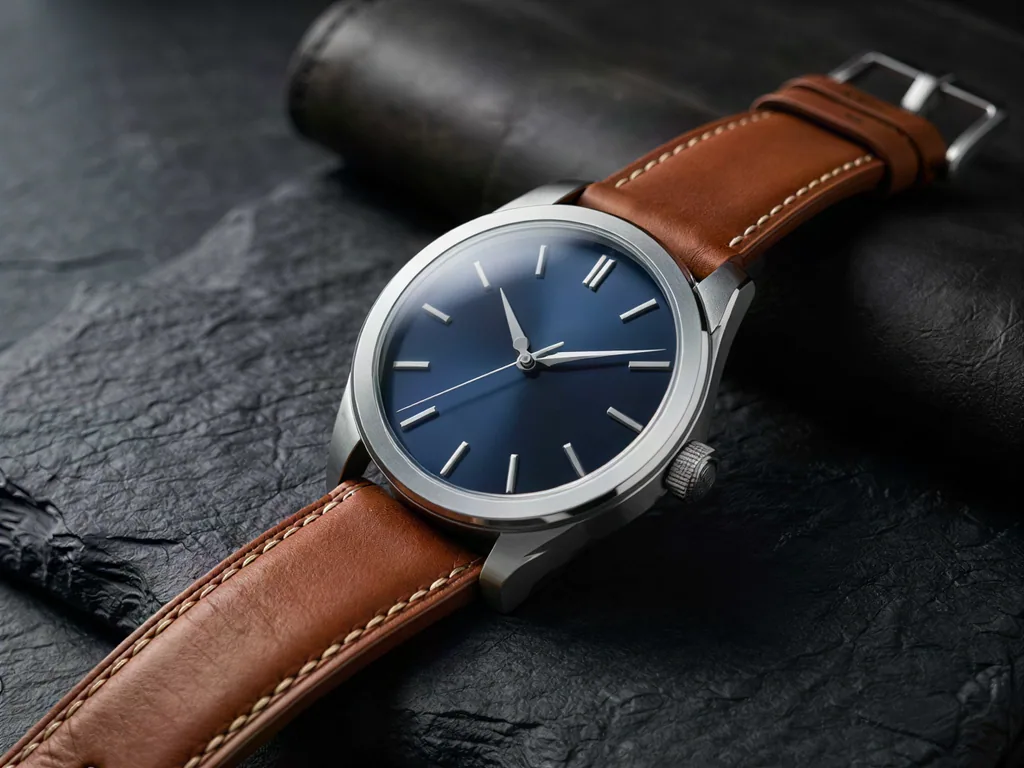
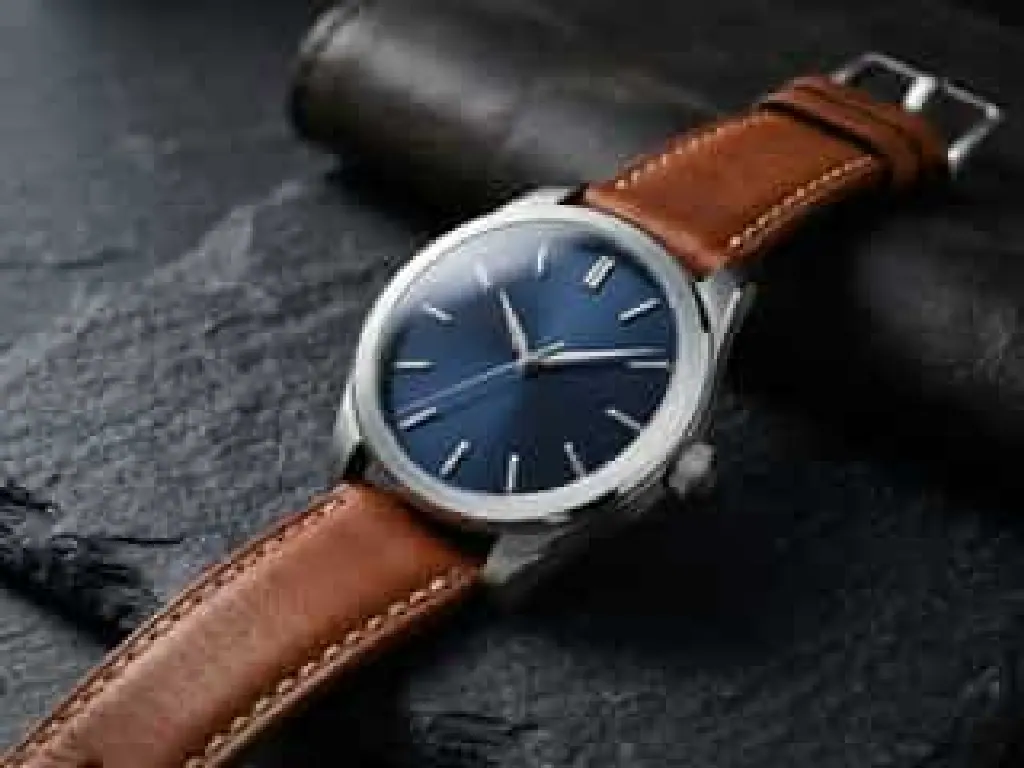
Turn 320×240 supplier JPEGs into zoom-ready 4× marketplace PNGs
Tiny vendor thumbnails blur metal bevels and leather grain in Amazon or Shopify zoom viewers. A 4× pass multiplies total pixels 16× for crisp store listings.
- Sharpens the brushed stainless-steel bezel and clean sapphire crystal reflections
- Defines baton dial indices across the sunray navy face without blocky JPEG halos
- Recovers stitched saddle-brown leather strap grain set against dark slate stone


Enlarge portrait crops and chat downloads with natural skin texture
Cropping one face from a group snapshot or saving compressed chat photos leaves jagged contours. Our photo enlarger restores lifelike detail without plastic smoothing.
- Separates individual silver beard hairs and sunlit pores on the smiling artisan potter
- Crisps tortoise-shell eyeglasses frames and warm golden-hour eye catchlights
- Rebuilds coarse chambray apron weave with zero stair-step pixel blocks
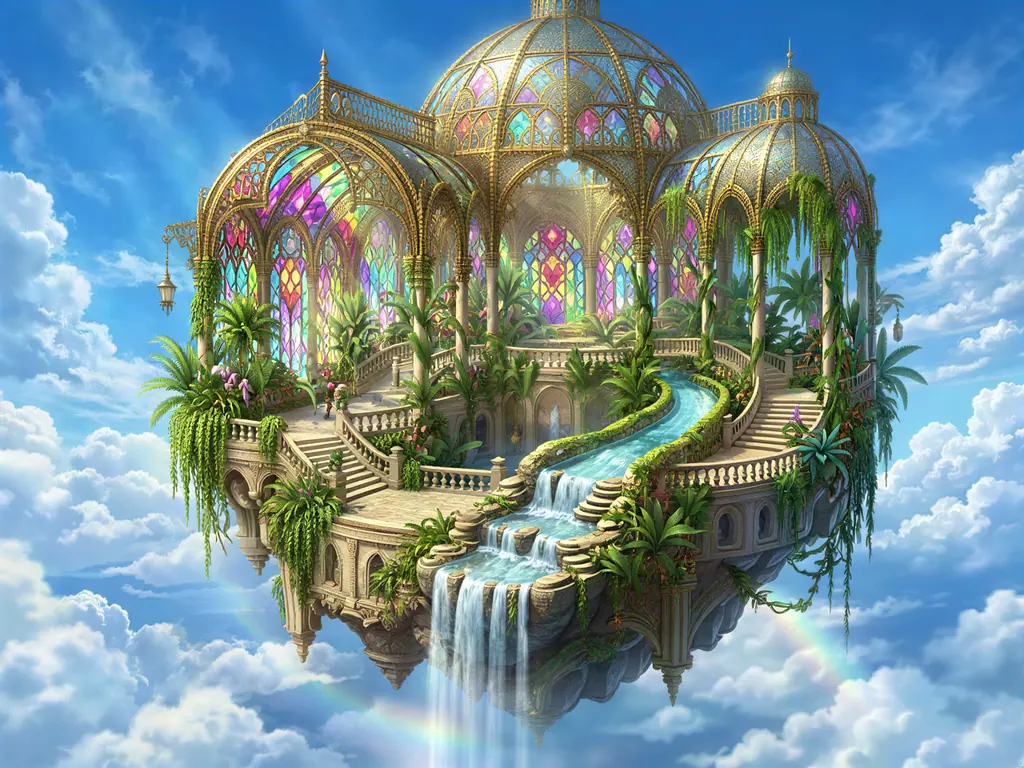
Scale ChatGPT, Gemini, Midjourney, and Flux renders to crisp 4K
Default 1024px AI generations look soft on widescreen monitors and poster frames. Running a 4× AI upscaler pass converts 1024×768 scenes to 4096×3072 or 1024×1024 squares to 4096×4096 wallpapers.
- Refines ornate brass filigree arches and stained-glass geometric conservatory panels
- Clarifies emerald fern fronds inside the sunlit floating botanical conservatory
- Preserves delicate waterfall mist over carved limestone without painterly ringing
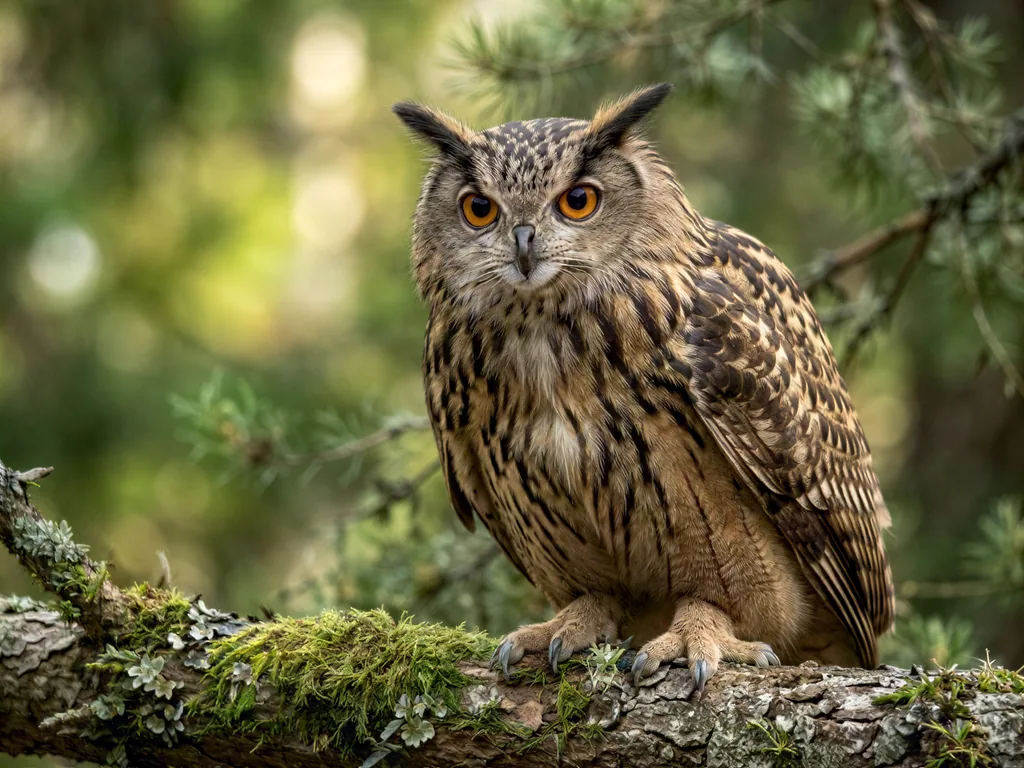
Enlarge cropped wildlife photos for crisp 300 DPI gallery prints
Telephoto crops often fall short of print density. A 4× photo upscaler pass reconstructs organic feather and bark micro-contrast for archival framing.
- Resolves intricate amber iris patterns and sharp beak edges on the Eurasian eagle-owl
- Separates layered feather barbs and curved talons without harsh sharpening halos
- Brings out moss-covered pine bark ridges and green woodland lichen texture
Why Use an AI Image Upscaler Instead of Standard Resizing?
2× & 4× neural pixel synthesis
Select 2× (4× total pixels) or 4× ★ (16× total pixels, 25 MP ceiling) to enlarge images without losing quality or adding bicubic blur.
JPEG block & halo cleanup
Clears 8×8 compression macroblocks, mosquito ringing, and jagged diagonals before synthesizing crisp hair, fabric, and product edges.
4K UHD & print-ready PNGs
Exports uncompressed lossless PNGs sized for 2000×2000+ store zoom, 4K monitors, Canva layouts, and 300 DPI print shops.
How it works
Upload JPG, PNG, or WebP
Drop any still photo, supplier thumbnail, portrait crop, or AI illustration (20 MB max) directly into the browser uploader.
Select 2× or 4× scale
Pick 2× (~7s) for clean HD doubling or 4× ★ (~11s) to upscale an image 4× within our 25 MP ceiling while previewing live dimensions.
Compare & download PNG
Drag the wipe slider to inspect fine edges at pixel level, then save your full-resolution lossless PNG.
Best inputs and limitations
Works well on: small e-commerce product JPEGs, cropped portraits and chat downloads, 1024×1024 renders from ChatGPT, Gemini, Midjourney, and Flux, Canva design assets, wildlife crops, and web graphics needing 2× or 4× enlargement.
Keep in mind: this browser image upscaler processes still raster files (JPG, PNG, and WebP under 20 MB) rather than MP4 video streams, DVDs, or HDMI game consoles; severe motion-blur streaks or unreadable 3-pixel micro-text cannot be invented, and torn or dusty vintage scans belong in AI Old Photo Restoration.
How an AI Image Upscaler Enlarges Pictures Without Losing Quality
When you enlarge an image in a traditional editor, Bicubic or Lanczos interpolation simply averages neighboring color squares across a wider grid — leaving soft eyelashes, muddy fabric weave, and stair-stepped diagonals above 150% zoom. Instead of stretching old pixels, a neural image upscaler studies surrounding edges, gradients, and surface textures learned from millions of paired photographs to predict crisp high-frequency detail.
Choosing 2× doubles width and height (4× total pixels), while 4× quadruples each axis for 16× total pixels — turning a 640×480 crop into 2560×1920 or a 1000×1000 product shot into a 16 MP (4000×4000) PNG within our 25 MP ceiling. If an already-large camera shot only needs one-click denoising or focus recovery at its current size, use our dedicated clarity enhancer.
2× vs. 4× Image Upscaling for Store Zoom, 4K Displays & 300 DPI Prints
Matching the scale factor to your source dimensions keeps textures natural and fast. Use 2× (~7s) when clean 960×540, 1080p, or 1200×1200 web and catalog shots just need doubling to clear 2000×2000 zoom rules or fill retina screens. Choose 4× ★ (~11s) when you want to make an image bigger and upscale small crops from 320×240–720p downloads or 512px–1024px drafts into 4K UHD (3840×2160, 8.29 MP) and 300 DPI prints like 8×10 in (2400×3000 px) or A4 (2480×3508 px).
On larger 2–6 MP uploads selected at 4×, this AI upscaler smoothly clamps output at 25 MP rather than locking the button. For tiny thumbnails or gallery murals needing extreme 8×–16× magnification to 8K UHD (34 MP max), open our flagship homepage tool, or check our resolution converter for DPI-to-inch tables.
Workflows for E-Commerce Listings, ChatGPT & Gemini AI Art, and Canva
Marketplace sellers often receive 500×500 or 800×800 vendor JPEGs that fail Amazon, Shopify, or Etsy 2000×2000+ hover-zoom checks. Running them through our photo upscaler at 4× delivers clean 2000×2000 to 3200×3200 PNGs where brushed steel, watch dials, and leather stitching stay sharp under buyer inspection. Creators also upscale images exported from ChatGPT, Google Gemini, Midjourney, and Flux: scaling a 1024×1024 (1.05 MP) render by 4× yields a 4096×4096 (16.78 MP) master ready for 4K wallpapers and 13.7×13.7-inch art prints.
Designers run logos, headshots, and cutouts through this free image upscaler before placing them in Canva flyers or pitch decks so exported PDFs stay crisp. JPG, PNG, and WebP upload directly (20 MB max); convert iPhone HEIC, camera RAW (CR3, NEF, ARW), or TIFF files to PNG or high-quality JPG first.
Online Browser AI Image Upscaler vs. Desktop GPU Software
Desktop upscalers — whether paid installers or local Python Real-ESRGAN and ComfyUI pipelines — require multi-gigabyte model weights and a dedicated GPU with 4 GB+ VRAM. On office laptops, Chromebooks, iPads, or phones, local tile rendering often crawls on CPU fallback or runs out of memory.
Because cloud GPUs handle the heavy compute, this online image upscaler works identically in Chrome, Safari, Edge, and Firefox across iPhone, Android, Mac, and Windows with zero setup. Keep scope in mind: this uploader processes still pictures rather than MP4 timelines, DVD rips, or 60fps footage (see our video guide), and creased or dust-speckled vintage album scans should be repaired first in Old Photo Restoration.
Transparent Metering: 48 Free Credits, No-Watermark Upgrades & 30-Day Auto-Delete
Every new account includes 48 free signup credits valid for 7 days — no credit card required — so you can test this free image upscaler on your own photos first. Processing is metered by input size at 12 credits per input megapixel with a 12-credit minimum per image, covering four real 2× or 4× watermarked previews on ≤1 MP files (or 1–3 previews on 1–4 MP shots).
When you need clean, watermark-free lossless PNG downloads for store catalogs, print labs, or client deliverables, upgrade with a 500-credit pack ($6.99 USD during our Holiday Sale, regularly $9.99, through December 30) or Pro (from $9.95/mo billed annually at $119.40 first year, or $19.99/mo monthly) across all tools on the platform. Uploaded originals and outputs travel over encrypted HTTPS, are never used for model training, and are kept privately for up to 30 days for support, then deleted automatically.
Online Image Upscaler vs. Bicubic Resize vs. Desktop GPU Software
Compare our browser AI upscaler (2× and 4× neural super-resolution) against standard editor interpolation and local desktop GPU software across six workflow criteria:
| Criterion | This AI Image Upscaler (2×/4×) | Bicubic / Lanczos Resize | Desktop GPU Software |
|---|---|---|---|
| Pixel Reconstruction | Neural model synthesizes genuine high-frequency texture, hair, and weave (4× or 16× total pixels) | Averages neighboring pixels mathematically; stretches blur across a wider grid | Offline deep-learning tiles predict detail using multi-GB local model weights |
| Edge & Text Clarity | Strips 8×8 JPEG macroblocks and mosquito halos before rebuilding crisp contours | Produces soft edges and diagonal stair-stepping above 150%–200% zoom | Sharp edges, though portrait presets can over-smooth natural skin pores |
| Hardware & Install | Zero install; runs in Chrome, Safari, Edge, or Firefox on iPhone, Android, Mac, and Windows | Built into Photoshop, macOS Preview, GIMP, or Paint | Requires multi-GB installer or Python/ESRGAN setup plus 4 GB+ dedicated VRAM |
| Supported Formats | JPG, PNG, and WebP (20 MB max); exports lossless PNG (convert HEIC/RAW/TIFF first) | JPG, PNG, TIFF, PSD, and native editor formats | JPG, PNG, TIFF, and local batch folders depending on license |
| Output Ceiling | Stepped 2× and 4× ★ scales up to 25 MP here (8×–16× to 34 MP on homepage) | Arbitrary pixel dimensions, limited by visible blur | 2×–8× bounded by local VRAM capacity and tile render speed |
| Pricing & Access | Requires internet connection; 48 free preview credits on signup, then $6.99 USD credit pack (Holiday Sale, reg. $9.99) or Pro from $9.95/mo ($119.40 first yr) for watermark-free PNGs | Included with OS viewers or paid desktop suite subscriptions | Upfront per-machine license or paid version upgrades |
Simple, Transparent Pricing
Choose the plan that fits your needs. New users get 48 free credits on signup.
Black Friday SaleEnds December 30. Discounts apply automatically at checkout.
Pro
Everything, one simple plan
$119.40 for the first year, then $199/year
- Up to 16x upscale
- Instant processing
- Ultra HD output
- Credits never expire
- Priority support
- Commercial license
Credit pack
Top up anytime — credits never expire
- No subscription needed
- Credits never expire
- Works on any account
Frequently Asked Questions
Is this AI image upscaler free to use?
Yes. Every new account receives 48 free credits on signup (no credit card required) to generate real watermarked previews on your own images. To download clean, watermark-free full-resolution PNGs, pick up a one-time 500-credit pack for $6.99 USD during our Holiday Sale (30% off $9.99 through December 30, never expires) or upgrade to Pro from $9.95/mo billed annually ($119.40 first year, 40% off $199/yr) or $19.99/mo monthly. Free signup credits stay valid for 7 days, and preview runs are metered at 12 credits per input megapixel (12-credit minimum per image).
Can I test this image upscaler with no sign up, and why is sign-in required?
You can inspect every interactive before-and-after showcase on this page immediately with no sign up. Running dedicated cloud GPUs on your own upload requires a quick email or Google sign-in (no card needed) so we can grant your 48 free credits and block automated bot abuse.
Should I pick 2× or 4× when I upscale an image?
Pick 2× (~7s) when a clean 960px–1500px photo or product shot simply needs doubling for 1080p HD, retina banners, or 2000×2000 store zoom. Choose 4× ★ (~11s) for small 320×240–720p crops, chat downloads, 1024×1024 AI renders, or files destined for 4K displays and 300 DPI printing.
What are the maximum upload size and output megapixel limits?
Uploads support JPG, PNG, or WebP files under 20 MB, and this image upscaler exports lossless PNGs up to 25 megapixels (for example, 4096×4096 is 16.78 MP and 5000×5000 is 25 MP). Larger inputs at 4× clamp smoothly to 25 MP; for 8×–16× magnification or 8K outputs to 34 MP, use our homepage AI Super Resolution tool.
How do I enlarge pictures saved in HEIC, RAW, or TIFF format?
Our photo upscaler accepts JPG, PNG, and WebP directly. For iPhone HEIC snapshots, camera RAW captures (CR3, NEF, ARW, DNG), or TIFF scans, export them once as lossless PNG or 95%+ quality JPG in Apple Photos, Preview, or Lightroom before uploading.
Do watermark-free downloads include commercial usage rights?
Yes. You retain full ownership of your original and enlarged images, and watermark-free PNGs unlocked with a credit pack or Pro plan carry commercial rights for Amazon and Shopify listings, print-on-demand merchandise, client work, and paid ads.
Can this AI upscaler enhance MP4 videos, DVDs, or game console output?
No. This browser tool processes still raster photographs and illustrations (JPG, PNG, WebP) rather than MP4/MOV video timelines, DVD rips, or live HDMI console feeds — though you can export individual video frames as PNGs to upscale individual stills here.
Are my uploaded photos kept private and deleted automatically?
Yes. Every upload and upscaled PNG is transmitted over encrypted HTTPS, isolated to your session, never shared or used to train AI models, and kept privately for up to 30 days for support, then permanently deleted from cloud storage.