Airbrush AI
Free Airbrush AI Online
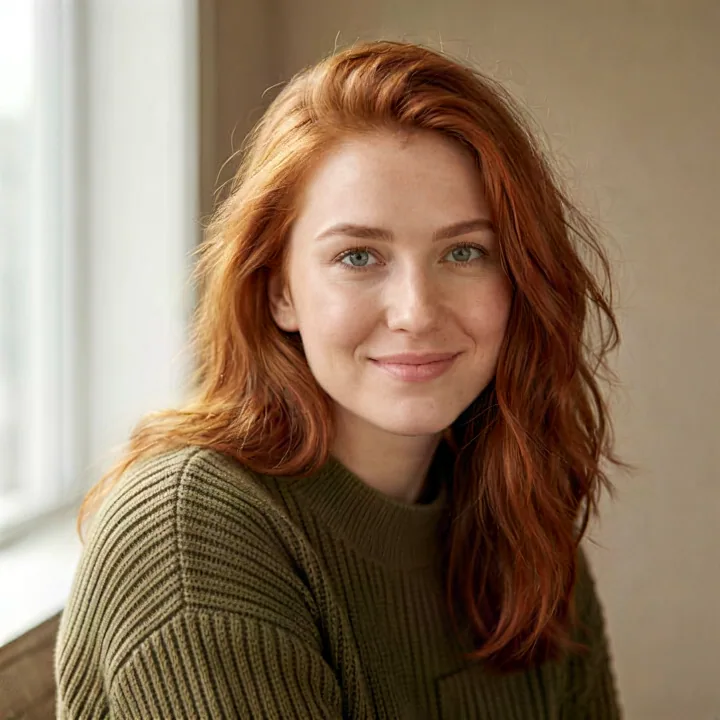
One-click browser Airbrush AI and airbrush photo enhancer that clears blemishes, cheek redness, oily shine, and tired under-eye shadows in seconds — keeping natural skin pores and crisp eyes intact.
- Lossless PNG output
- 100 free credits, no card
- No app to install
- Deleted after 30 days
Drag & drop your image here
or click to browse. Supports JPG, PNG, WebP (max 20 MB)
JPG · PNG · WebP up to 20 MB · Deleted after 30 days
See how Airbrush AI cleans blemishes, shine, and uneven complexion
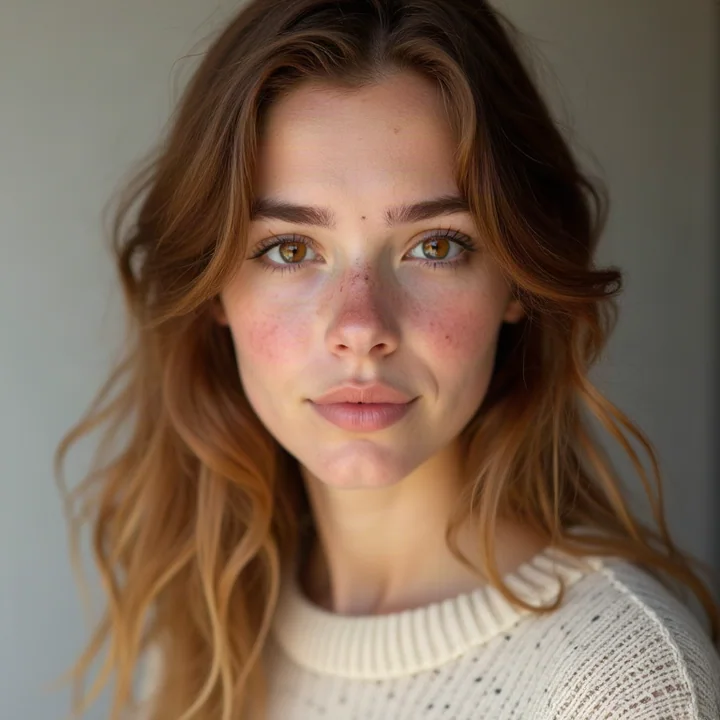
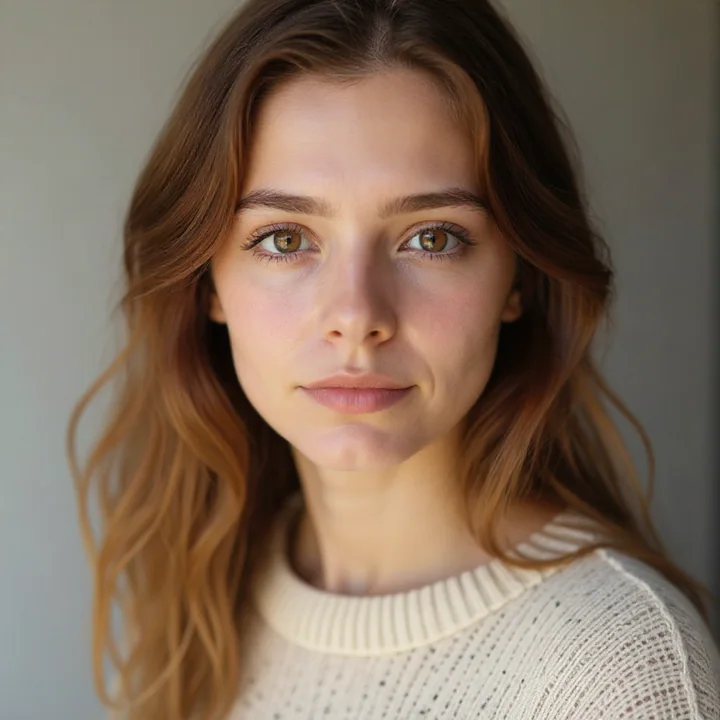
Drag each slider to inspect unretouched originals against our live one-click portrait model. Every frame keeps authentic facial geometry, crisp eyelashes, and realistic pore texture.
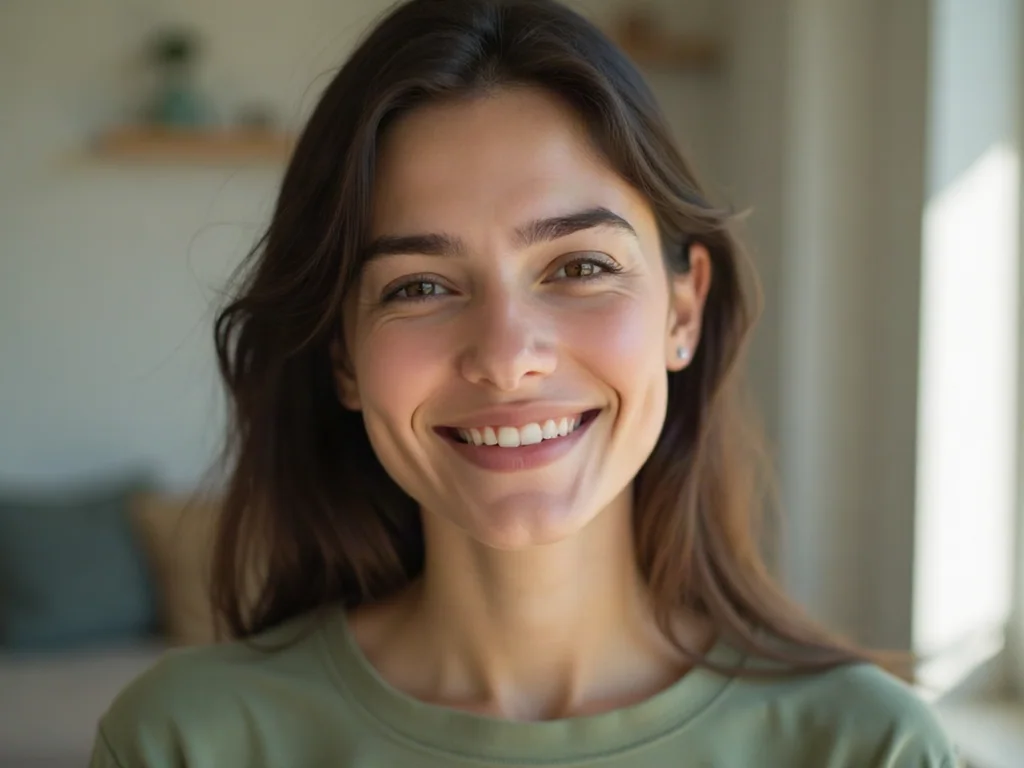
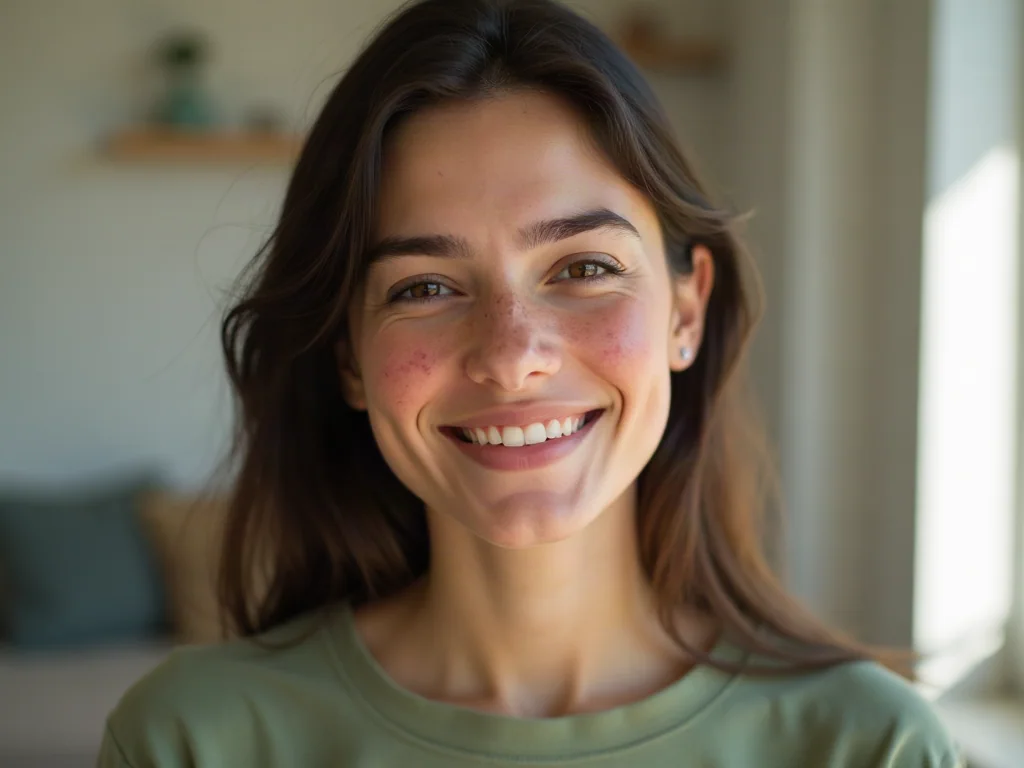
Clear acne spots and nose redness while preserving natural pores
Close-up daylight selfies magnify temporary breakouts and uneven redness across the cheeks and chin. Our Airbrush AI skin enhancer clears distracting spots without flattening cheek texture into a waxy mask.
- Removes minor blemishes, dry patches, and redness around the nose
- Preserves authentic micro-pores, fine brows, and natural lip lines
- Delivers clean editorial results right in your browser without desktop layers

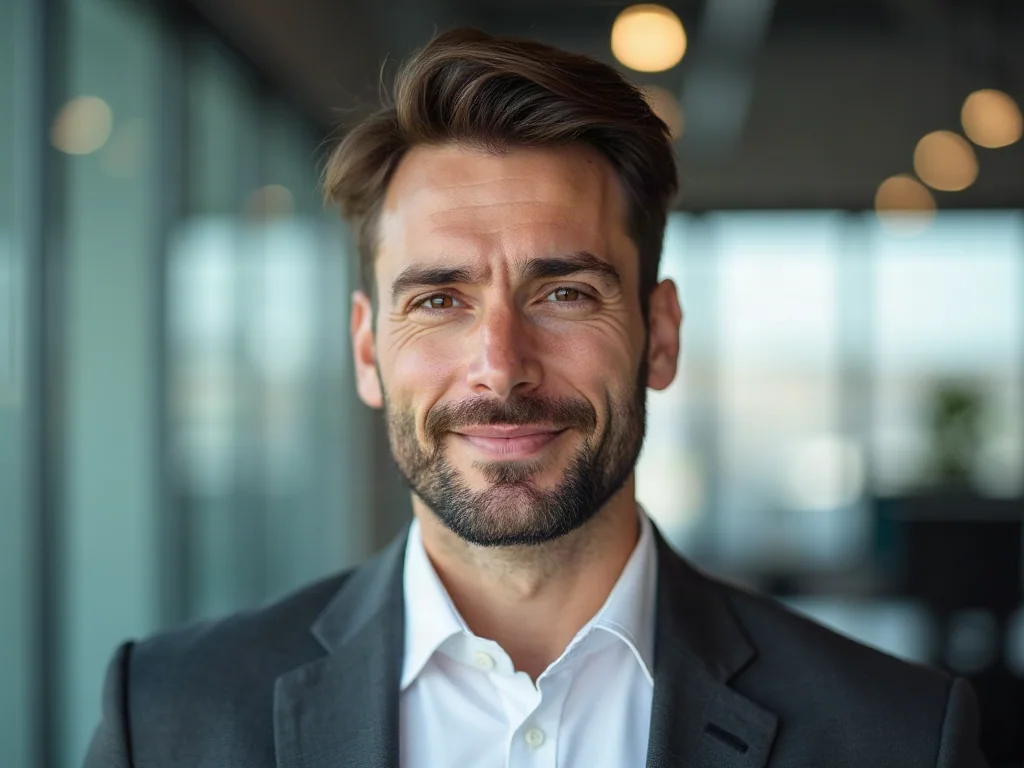
Tame forehead glare, razor bumps, and tired under-eye shadows
Office window light and overhead LEDs often leave greasy highlights on the forehead and harsh hollows under the eyes. This face smoother tool balances reflective shine for crisp LinkedIn and company headshots.
- Softens harsh forehead and nose-bridge oil reflections cleanly
- Reduces subtle neck razor irritation and tired under-eye darkness
- Keeps beard stubble, eyeglasses, collar stitching, and identity untouched
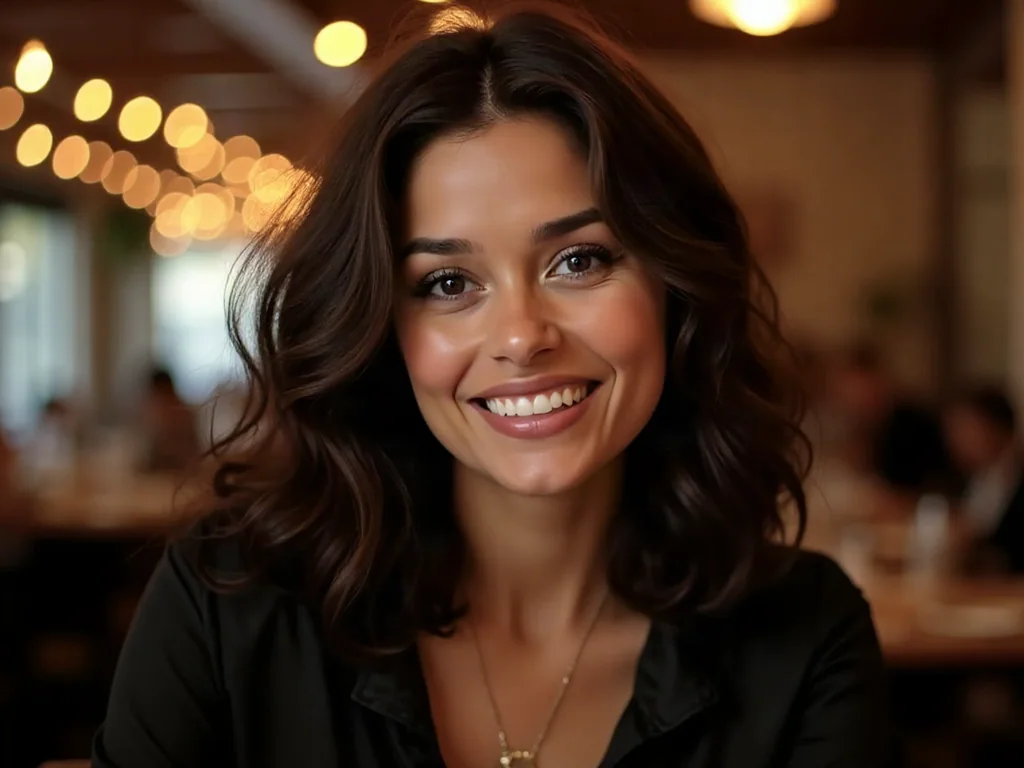
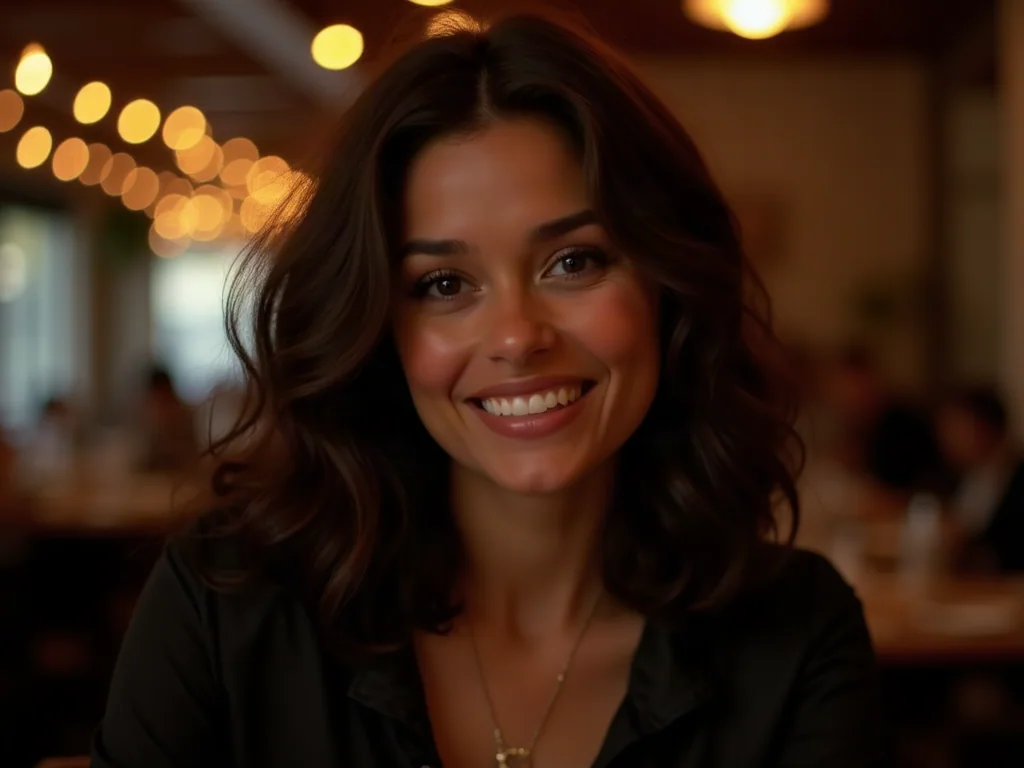
Smooth blotchy evening flash portraits without fake color shifts
Direct phone flash and mixed restaurant lamps produce patchy warmth, shiny hotspots, and shadowed circles. Our airbrush image enhancer evens out blotchy complexion transitions while staying true to your natural undertones.
- Balances patchy lamp-lit color casts across forehead, cheeks, and jawline
- Tones down bright flash hotspots on the nose and cheekbones
- Preserves earrings, hair strands, fabric texture, and evening bokeh
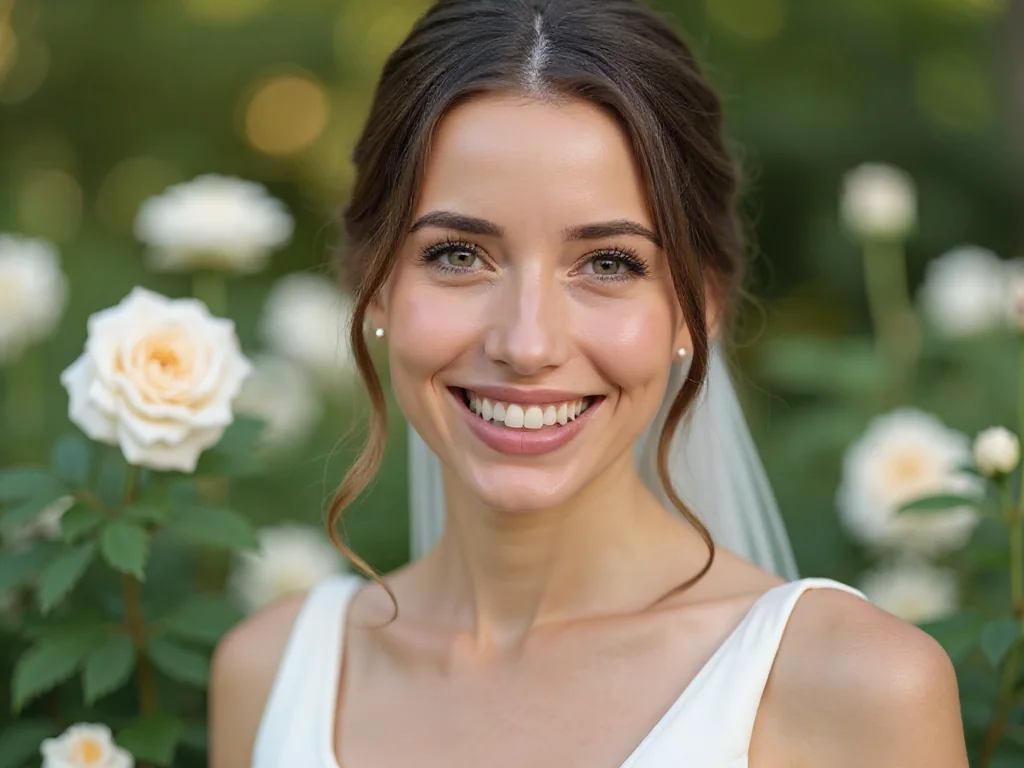
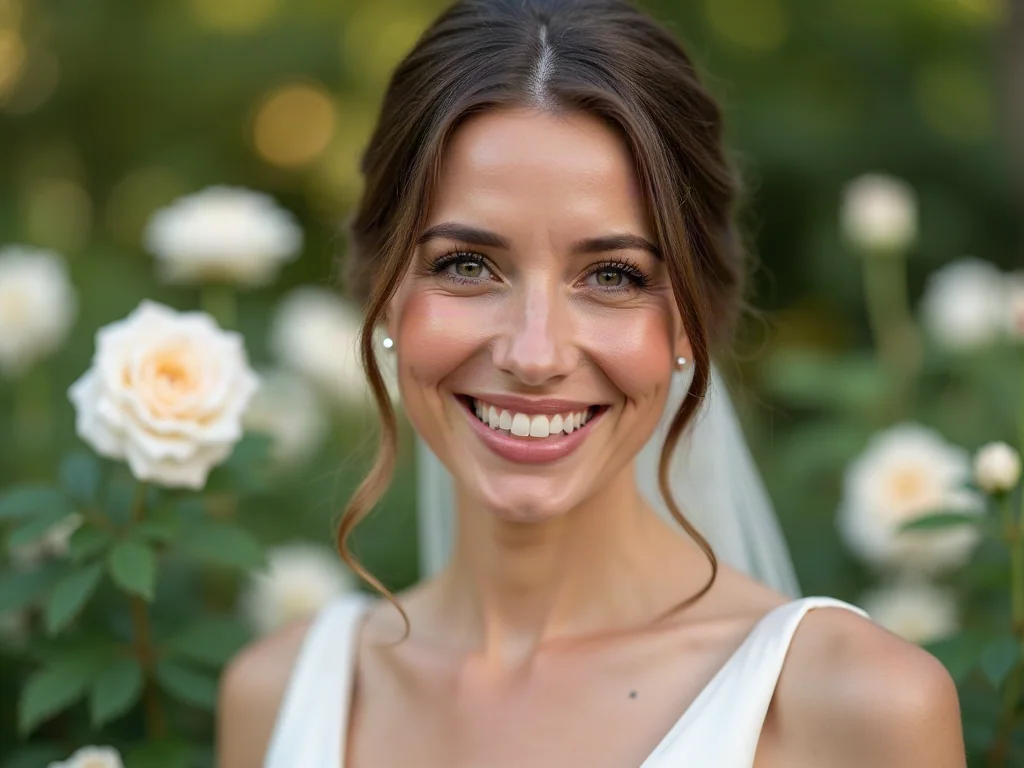
Polish bridal and beauty portraits without porcelain over-smoothing
High-contrast outdoor shade can exaggerate cheek flush and dry foundation texture in close-up beauty shots. Use Airbrush AI to refine skin transitions while keeping lashes, lace, and jewelry razor-sharp.
- Softens uneven cheek flush and dry foundation patches smoothly
- Retains sharp iris catchlights, individual eyelashes, and hair tendrils
- Exports clean lossless PNG previews ready for review or 4K upscaling
Why portraits look natural with Airbrush AI
Pore-preserving skin enhancer
Clears acne spots, redness, and greasy highlights while keeping realistic micro-texture — avoiding the blurred plastic doll look of cheap beauty filters.
Zero-install browser editor
Airbrush your photo on iPhone, Android, Mac, or Windows in about 10 seconds with no mobile app download, subscription wall, or Photoshop frequency-separation layers.
Identity & detail lock
Strictly preserves your real bone structure, expression, eyes, hair, clothing, and background — polishing complexion only instead of morphing your face.
How it works
Upload any portrait
Drop a JPG, PNG, or WebP portrait (up to 20 MB) straight from your phone or computer — no software install required.
Click Airbrush Photo
Our Airbrush AI model analyzes blemishes, redness, oily shine, and uneven shadows, smoothing skin in roughly 10 seconds for a flat 12 credits.
Compare & download PNG
Drag the before-and-after slider to check your Airbrushed result, save your lossless PNG, or send it to our 4× upscaler for 4K print size.
Best inputs and limitations
Best for: selfies, LinkedIn headshots, bridal close-ups, flash party snapshots, and creator thumbnails where you want cleaner skin, softened blemishes, reduced shine, and an even complexion while still looking unmistakably like yourself.
Honest boundaries: this browser skin enhancer focuses strictly on natural portrait complexion cleanup — it does NOT reshape bone structure, swap ethnicity or fake-tan skin colors, or act as a novelty app with hairstyle/bangs/beard try-on filters, abs generators, face-shape scorers, collages, or generative object replacement. Output is a lossless ~1 MP PNG; for 4K/print size, pair with our AI Image Upscaler, or use Damaged Photo Repair for torn vintage scans.
How Airbrush AI Smooths Skin Without the Plastic Blur Look
Traditional mobile beauty filters and basic Gaussian blur sliders wipe out blemishes by erasing high-frequency detail across the entire face. The result is an uncanny, waxy portrait where cheeks look smeared while eyes and lips remain harsh. Modern Airbrush AI separates distracting complexion noise — temporary breakouts, post-acne redness, oily T-zone glare, and uneven shadow blotches — from structural facial anatomy.
Instead of blurring everything uniformly, our context-aware airbrush image enhancer inspects local lighting direction, pore cadence, and undertones before blending out spots and glare. Catchlights in the irises, individual eyelashes, eyebrows, stray hair strands, and facial hair stay sharp, so your portrait reads like careful editorial retouching rather than a heavy filter.
Because this airbrush photo enhancer operates directly in your browser, you get consistent studio-grade complexion cleanup across desktop and mobile without hunting through dozens of sliders or installing bloated phone apps.
How to Airbrush Photos Online in Three Quick Steps
Knowing how to airbrush photos cleanly used to require Photoshop frequency separation, dual healing layers, and 15 minutes per frame. With Airbrush AI online, the same complexion polish takes a single click:
- Start with an evenly lit JPG, PNG, or WebP portrait (up to 20 MB) where the face is clearly visible.
- Click Airbrush Photo above. Each run costs a flat 12 credits regardless of input megapixels and finishes in about 10 seconds.
- Inspect the Airbrushed output on the interactive slider. If you started with an older low-res or slightly dark shot, brighten shadows first or upscale afterward for crisp 4K delivery.
New accounts receive 100 free credits on signup (valid for 7 days, no credit card needed) — enough for up to 8 full skin retouch previews on your own portraits before choosing whether to unlock clean downloads.
Airbrush AI vs. Photoshop, Capture One, Lightroom, and Video Tools
Photographers and creators often compare an online airbrush photo editor against established desktop suites and newer AI skin enhancer platforms. Manual frequency separation in Adobe Photoshop, Skin Tone Uniformity in Capture One, or localized masking in Lightroom Mobile still wins when a commercial beauty campaign demands pixel-by-pixel clone stamping over 50 MP RAW files. For everyday headshots, social sets, and client previews, however, one-click Airbrush AI removes 90% of repetitive blemish and glare cleanup in seconds with zero setup.
Similarly, if you are comparing niche tools like Higgsfield or Vellum AI skin enhancers, or skin-smoothing plugins inside Final Cut Pro (FCPX), notice the workflow boundary: video plugins and generative motion platforms target multi-frame video clips or synthetic avatars, whereas our browser tool focuses exclusively on real still photographs — preserving the real person in your camera roll without altering their identity or inventing fake facial geometry.
Pairing Skin Airbrushing with 4K Upscaling and Photo Restoration
Many users searching for airbrush upscale, 4K portrait enhancement, or airbrush photo restoration actually have two distinct jobs in mind: polishing complexion and fixing resolution or physical scan damage. Because our model outputs a clean, aspect-preserved lossless PNG around 1 MP, chaining dedicated tools gives dramatically sharper results than forcing one filter to do everything.
- Need 4K UHD (3840×2160) or 300 DPI print dimensions (such as 8×10 in at 2400×3000 px)? Run Airbrush AI first to clear blemishes and shine, then click our 2×/4× AI Image Upscaler (up to 25 MP) or 8×–16× Super Resolution (up to 34 MP).
- Restoring a torn, creased, scratched, or faded vintage family portrait? Start with Damaged Photo Repair to heal physical paper damage faithfully before applying gentle portrait polish.
- Fixing a heavily out-of-focus selfie where facial features are smeared without wanting cosmetic smoothing? Switch directly to AI Face Fixer.
Transparent Credits, Watermark Policy, and Portrait Privacy
a 500-credit pack ($6.99 USD during our Holiday Sale, regularly $9.99, through December 30) or Pro (from $9.95/mo billed annually at $119.40 first year, or $19.99/mo monthly) Every Airbrush AI run uses a flat 12 credits — so your 100 free signup credits (valid 7 days, no card required) give you up to 8 complete watermarked previews on your own portraits. Purchasing any credit pack or Pro subscription immediately unlocks clean, watermark-free lossless PNG downloads, including portraits you already processed during your preview.
Portrait privacy matters. Uploaded photos and generated results are transferred over encrypted HTTPS, stored privately for up to 30 days solely for account downloads and support troubleshooting, and automatically purged afterward. We never publish your portraits or use customer uploads to train AI models.
Which Portrait Tool Fits Your Photo?
Choose Airbrush AI for natural complexion smoothing and glare cleanup, or combine it with our specialized tools when your shot needs resolution upscaling, shadow lift, or physical damage repair.
| Portrait Scenario | Primary Tool | What Changes | Optional Next Step |
|---|---|---|---|
| Acne spots, cheek redness & T-zone glare | Airbrush AI | Clears blemishes, calms redness, balances oil shine while keeping pores | AI Image Upscaler for 4K / print |
| Blurry or low-res selfie (strict identity) | AI Face Fixer | Sharpens soft eyes, lashes & natural texture up to 2× (16 MP) | Airbrush AI if mild polish needed |
| Dark backlit or shadowed indoor portrait | AI Image Brightener | Lifts shadow exposure cleanly without blowing out highlights | Complexion polish afterward |
| High-ISO night party grain & color speckle | AI Image Denoiser | Removes luminance/chroma noise at native 1× resolution | Gentle portrait smoothing |
| Torn, creased, or scratched old portrait scan | Damaged Photo Repair | Heals physical rips, scratches, folds, and fading faithfully | AI Image Upscaler for framed prints |
Simple, Transparent Pricing
Choose the plan that fits your needs. New users get 100 free credits on signup.
Black Friday SaleEnds December 30. Discounts apply automatically at checkout.
Pro
Everything, one simple plan
$119.40 for the first year, then $199/year
- Up to 16x upscale
- Instant processing
- Ultra HD output
- Credits never expire
- Priority support
- Commercial license
Credit pack
Top up anytime — credits never expire
- No subscription needed
- Credits never expire
- Works on any account
Frequently Asked Questions
Is Airbrush AI free to try online without downloading an app?
Yes. Sign up free with no credit card to receive 100 free credits (valid for 7 days). Because each run costs a flat 12 credits, you can test up to 8 full portrait previews right in Chrome, Safari, Edge, or Firefox on desktop or mobile. Yes. Every new account receives 100 free credits on signup (no credit card required) to generate real watermarked previews on your own images. To download clean, watermark-free lossless PNGs, pick up a one-time 500-credit pack for $6.99 USD during our Holiday Sale (30% off $9.99 through December 30, never expires) or upgrade to Pro from $9.95/mo billed annually ($119.40 first year, 40% off $199/yr) or $19.99/mo monthly.
Will this face smoother make me look plastic or change how I look?
No. Unlike aggressive mobile beauty filters that blur pores away or morph jawlines, our Airbrush AI targets blemishes, redness, oily shine, and patchy shadows while preserving real pore texture, eyelashes, hair strands, and your exact facial structure.
Does it include hairstyle, bangs, beard, abs, or face-shape filters?
No. This browser tool is strictly a realistic portrait skin smoother and complexion enhancer. It does not offer virtual hairstyle or bangs changers, beard filters, body or muscle reshaping, beauty scoring, face-shape detectors, collage grids, or generative object replacement.
Can it change my skin tone or apply a fake tan?
It evens out blotchy redness, dull patches, and harsh flash hotspots so your natural complexion looks balanced and healthy. It intentionally does not swap your skin color or apply artificial tanning shifts.
How do I get a 4K or print-ready photo after airbrushing?
The tool exports a clean lossless PNG (~1 MP) tuned for social profiles and web portraits. Whenever you need 4K (3840×2160) or 300 DPI print dimensions, send your polished result straight into our 2×/4× AI Image Upscaler (up to 25 MP) or 8×–16× Super Resolution (up to 34 MP).
Do free preview results have a watermark?
Previews generated with free signup credits include a light diagonal watermark so you can verify skin quality before paying. Unlocking any credit pack or Pro plan immediately removes the watermark for clean PNG downloads — including portraits you already processed.
Are my uploaded portraits kept private?
Yes. All uploads travel over HTTPS, remain private to your account for up to 30 days for downloads and support, and are automatically deleted afterward. Customer photos are never shared publicly or used for AI model training.